
How to choose CPU cooling: air, liquid and when each is enough
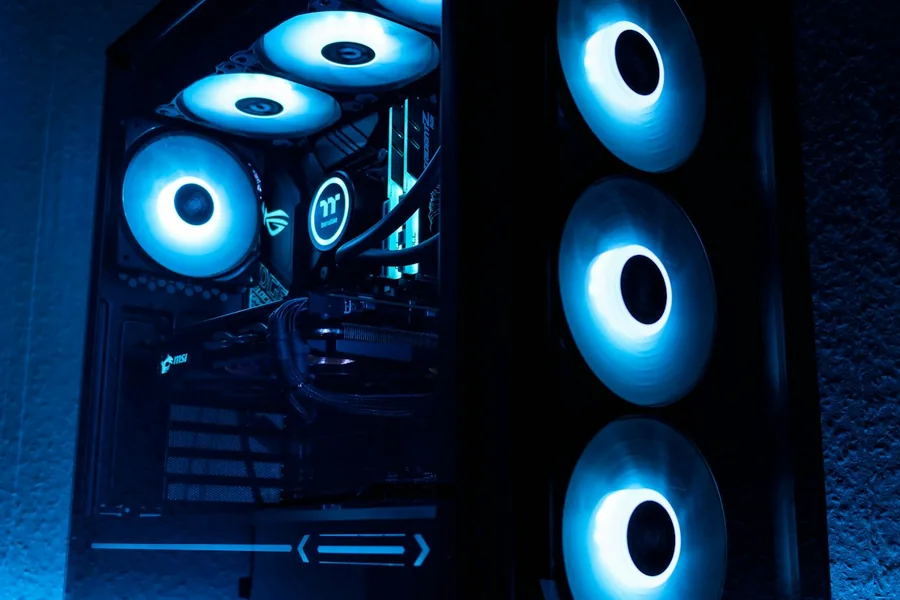
A cooler keeps the processor at a safe temperature. When it is weak or wrong, the processor overheats, and to protect itself it reduces its own performance (this is called throttling). The result is a slower and noisier computer, and in the worse case a crashing system. Good cooling, on the other hand, means stable performance, quieter operation and a longer lifespan. Let us explain how to choose the right one.
Is the boxed cooler enough?
Some processors come with a cooler included in the box (a so-called boxed cooler). For economical and mid-range processors in an office or everyday computer it is perfectly enough. With more powerful processors, however, it tends to be weak and noisy, and then it is worth buying a better cooler separately.
Air or liquid cooling
This is the main decision:
- An air cooler is a finned block with a fan. It is reliable, cheap, maintenance-free and lasts for years. A quality tower cooler handles most powerful processors too. The downside is that it tends to be large and tall, so you have to check it fits in the case.
- Liquid cooling (AIO) is a closed unit with a pump, radiator and fans. It handles very hot, top-end processors better, tends to be quieter under load and frees up space around the socket. But it is more expensive, the pump can fail over time, and the case needs room for the radiator.
For most people a quality air cooler is plenty. Liquid cooling makes sense for the most powerful processors, overclocking, or when you want a quiet and striking computer.
The cooler has to match the processor
Every cooler states how much power (heat) it can cool, usually as a TDP value in watts. The more powerful the processor, the stronger the cooler it needs. A weak cooler on a hot processor will not solve the problem; the processor will overheat and throttle. So choose a cooler with headroom above how much heat your processor produces.
Whether it physically fits
This is also where mistakes are most common, so before buying check:
- The socket. The cooler must support your processor’s socket. Most support common Intel and AMD sockets.
- The height in the case. A tall tower cooler can hit the side panel of the case. With liquid cooling, check whether the radiator (for example 240 or 360 mm) fits in the case.
- Memory under the cooler. A large air cooler can overhang the memory slots, so watch out for taller RAM modules.
Quietness and thermal paste
A larger cooler and larger fans spin more slowly for the same cooling, and are therefore quieter. If a calm computer matters to you, it pays to spend a little more on a quality cooler with good fans. And remember that good cooling also includes quality thermal paste between the processor and the cooler, which we cover in the article on repasting and cleaning a computer.
We will advise and build it for you
The right cooling has to be matched to both the processor and the case, and this is exactly where it is easy to go wrong.
Cooling built for your computer
We will help you choose the right cooler, fit it and apply the thermal paste correctly, or build your whole computer so it runs cool and quiet. For homes and businesses in the Liptov region.
Get in touchThis article is part of our Hardware and components overview.
Frequently asked questions
Is the boxed cooler included with the processor enough?
Is air or liquid cooling better for a processor?
What is throttling and how does it relate to cooling?
How do I know if a cooler will fit my processor?
Will a tower cooler or an AIO fit in my case?
Why is a computer with a bigger cooler quieter?
Need help with IT?
We will take care of your computers, networks and security - for businesses and households in the Liptov region.
Contact us