
How to choose a drive: SSD or HDD, NVMe or SATA and how much capacity
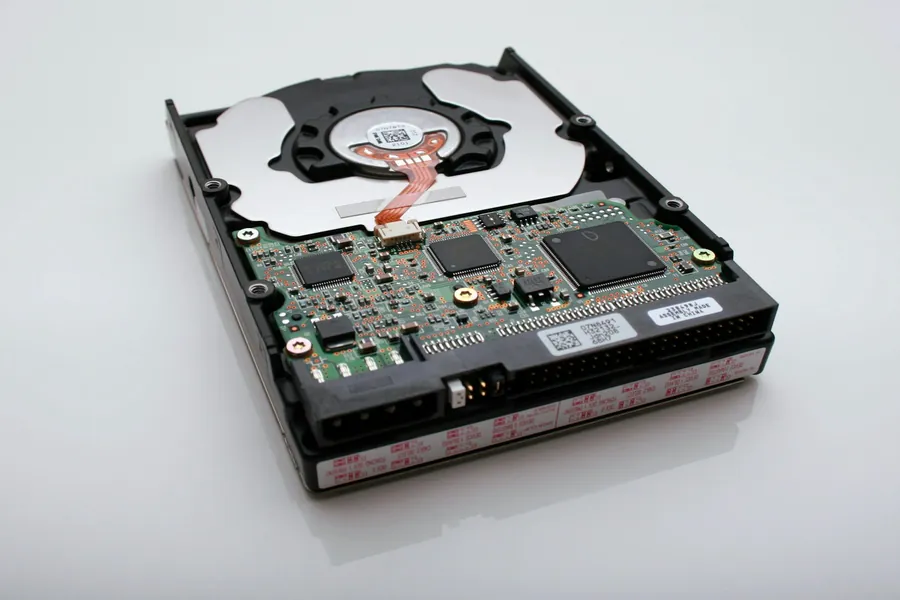
The drive (storage) is where your operating system, programs and all your files live. Its choice fundamentally affects how fast the computer runs and how much data fits in it. The good news is that you only need to understand a few terms to choose well. Let us get to it.
A drive is not RAM
First, a common misconception. A drive and random access memory (RAM) are not the same thing. A drive is permanent storage, where data stays even after the computer is switched off. RAM is only temporary working memory that is wiped on shutdown. When someone says “my computer is full”, they usually mean a full drive.
SSD versus HDD: speed or cheap capacity
This is the first and most important decision:
- A SSD has no moving parts and is fast, silent and durable. A computer with an SSD starts in a few seconds and everything responds instantly. It costs more per gigabyte.
- A HDD (a traditional hard drive) is slow and mechanical (spinning platters), but it is cheap and offers huge capacities.
A simple rule: always put the system and programs on an SSD, while a traditional HDD today only makes sense as cheap storage for large volumes of data, an archive or backups. If you still have an HDD as the system drive, moving to an SSD is the cheapest and most effective upgrade there is.
NVMe or SATA: two kinds of SSD
There is a difference even among SSDs, namely in the type of connection:
- A SATA SSD is fast and fits even older computers, but its speed is limited by the older interface (around 550 MB/s).
- An NVMe (M.2 drive) is many times faster (gigabytes per second), slots directly into the motherboard and is today the standard for new computers.
In everyday use you will not feel the difference between SATA and NVMe as strongly as the leap from HDD to SSD. It shows mainly when working with large files, editing video and transferring large volumes of data.
How much capacity you need
As a rough guide for today:
- 500 GB is a reasonable minimum for the system, programs and ordinary data.
- 1 TB is a comfortable standard for most people.
- 2 TB and more is appreciated by gamers (games are huge these days), video editors and those who keep a lot of photos and films.
A popular and practical combination is a fast NVMe SSD for the system and games plus a larger HDD for archiving data you do not need instantly to hand.
Reliability and one important thing at the end
With a drive it pays to go for a proven brand, as cheap no-name units tend to be less reliable. And above all, no drive lasts forever and none of them is a backup. Both SSDs and HDDs can fail. So always keep important data backed up in another place, ideally following the 3-2-1 rule that we describe in the article on backing up properly.
We will advise, replace and transfer your data
Whether you are building a new computer or want to revive an older one, we will advise you on the right drive, fit it and safely transfer your data and system, so you lose nothing. And if your drive is failing right now, we will help recover the data.
We will help you choose a drive
We will pick the right drive for your computer and use case, fit it and safely transfer your data and system. For homes and businesses in the Liptov region.
Get in touchThis article is part of our Hardware and components overview.
Frequently asked questions
What is the difference between a drive and RAM?
Is SSD or HDD better for a computer?
What is the difference between NVMe and SATA SSD?
How many GB or TB of drive capacity do I need?
Will moving from HDD to SSD speed up an old computer?
Is a drive also a backup of your data?
Need help with IT?
We will take care of your computers, networks and security - for businesses and households in the Liptov region.
Contact us