
How to choose a graphics card: what really matters and where not to overpay
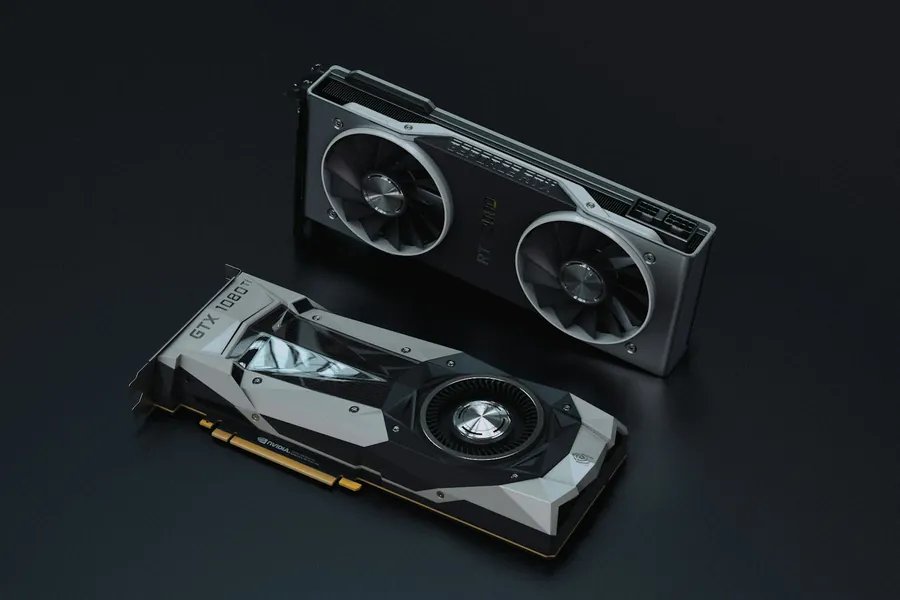
A graphics card (GPU) is usually the single most expensive part of a gaming or workstation PC, and also the one you can most easily get wrong. Marketing pushes numbers and model names, but only a few things really matter. Once you understand them, you will pick a card that fits your needs exactly and not spend hundreds of euros on performance you will never see.
Do you even need a dedicated graphics card?
First, an honest question. If you use your computer for office programs, the internet, e-mails and videos, you do not need a dedicated graphics card at all. Today’s processors have integrated graphics that handle all of this without trouble, and the computer is quieter and cheaper.
A dedicated card makes sense when you play games, edit video, work with 3D, graphics or artificial intelligence. Then it is the most important part and worth choosing carefully.
1. VRAM: the graphics card’s memory
VRAM is the card’s own memory and is now one of the most important parameters, because modern games and programs are genuinely hungry for it. As a rough guide:
- 8 GB is the bare minimum today for gaming at Full HD (1920 × 1080). For a little headroom into the future, 10 to 12 GB is safer.
- 12 GB is a sensible sweet spot for 1440p resolution and good future-proofing.
- 16 GB and more is appreciated by gamers at 4K, video editors and AI work.
A card with too little VRAM will run out of breath even if it is otherwise powerful, so do not skimp on memory first.
2. Match the card to your monitor
This is the most common mistake. The card’s performance should match your monitor, specifically its resolution and refresh rate:
- For a Full HD 60 Hz monitor there is no point in an expensive top-end card; you will not see its performance.
- For 1440p or high refresh rates (144 Hz and above for smooth gaming) you need a more powerful card.
- 4K is the most demanding and requires a genuinely strong card with plenty of VRAM.
Buying a 4K card for a Full HD monitor is money thrown away. Conversely, a weak card on a 4K monitor means stuttering.
3. Match it to the rest of the PC
A graphics card does not work alone:
- The processor must keep up with the card. A weak processor will hold back a strong card (this is called a bottleneck).
- The power supply (PSU) must have enough wattage and the right power connectors. This is badly underestimated. A powerful card on a weak or cheap PSU risks instability and even damage. Check that the PSU has the correct power connector (8-pin PCIe, or the newer 12VHPWR/12V-2x6 depending on the card) and seat it fully home. More in our article on choosing a power supply.
- Case size. Modern cards tend to be long and thick. Check before buying that they physically fit.
- The PCIe slot on your motherboard will accept the card without worry; newer and older versions are backward compatible.
NVIDIA, AMD, or Intel
There is no need to be a fan of one brand. NVIDIA (the RTX line) is strong in ray tracing and frame-generation technologies, AMD (Radeon) often offers more VRAM and better value, and Intel Arc is interesting in the cheaper class. Choose by the specific model, price and reviews, not by the logo.
New or used?
A used card can save money but carries risk: you do not know how hard it was pushed (for example by cryptocurrency mining), and it usually no longer has a warranty. If you are not experienced, a new card with a warranty is safer, or a used one only from a trustworthy source and after testing.
Do not buy “the best one just in case”
The most common trap is overpaying for a top model “so it lasts”. The truth is that you make the smartest purchase based on your resolution and what you actually do, not on rankings. Mid-range today comfortably handles Full HD and 1440p gaming for a fraction of the price of the top tier.
We will advise and build it for you
Choosing a graphics card is about matching several parts at once, and that is exactly where it is easy to go wrong. For gaming, see also how to build a gaming PC and what affects smoothness.
We will help you choose a graphics card
We will recommend a card based on what you actually use the computer for and what monitor you have, or build your whole computer to match. For homes and businesses in the Liptov region.
Get in touchThis article is part of our Hardware and components overview.
Frequently asked questions
Do I need a dedicated graphics card if I do not play games?
How much VRAM does a graphics card need for gaming?
How do I match a graphics card to my monitor?
What is a bottleneck between a graphics card and a processor?
What should I check about the power supply (PSU) for a graphics card?
Is it safe to buy a used graphics card?
Need help with IT?
We will take care of your computers, networks and security - for businesses and households in the Liptov region.
Contact us