
How to choose a keyboard and mouse: comfort you feel all day
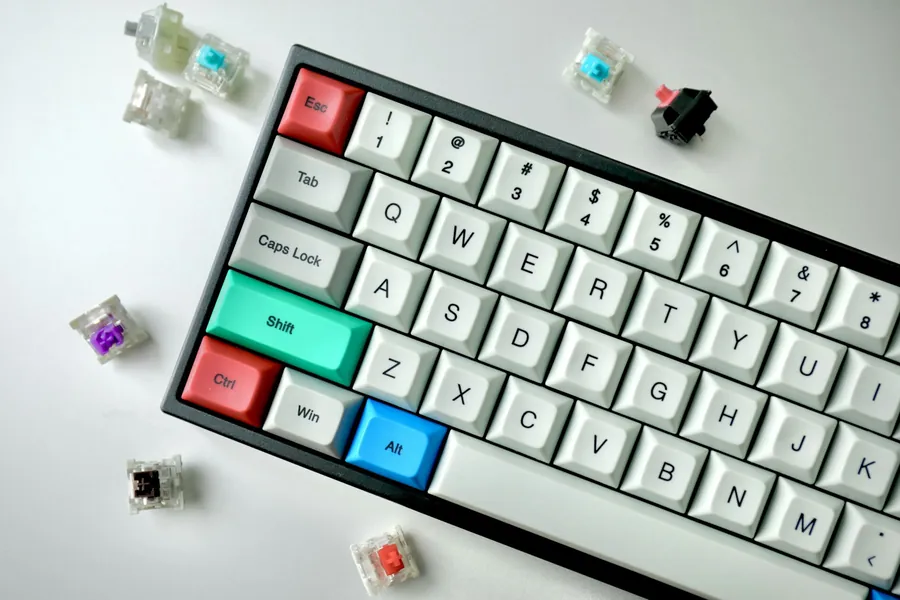
With a computer people focus on performance, but the keyboard and mouse, the things you actually hold in your hands all day, are often bought in a hurry and as cheaply as possible. Yet they decide your comfort, how fast and accurately you work, and the health of your wrists. A few euros more here come back as far more pleasant work. Let us get to it.
Wired or wireless?
The first question for both:
- Wired needs no batteries, has no lag and is completely reliable. It suits a desk and gaming alike.
- Wireless keeps the desk tidy and is flexible. Modern wireless mice and keyboards (via Bluetooth or a small USB receiver) are reliable these days; you just have to keep charging or batteries in mind.
Keyboard: mechanical or membrane
The biggest difference is in the key-switching technology:
- A mechanical keyboard has its own switch under each key. It types more precisely and pleasantly and lasts much longer, but it is pricier and louder.
- A membrane keyboard is quieter and cheaper, with a softer press. For ordinary typing it is perfectly enough.
Next consider the size. A full-size keyboard also has a numeric block (the number pad on the right), which accountants and anyone entering a lot of numbers will appreciate. Compact keyboards without it take up less desk space.
Important locally: buy a keyboard with the layout of your language, so the accented characters and symbols are where you expect them. Otherwise you face relabelling keys or hunting for characters blindly.
Mouse: above all it has to fit your hand
With a mouse what matters most is comfort:
- Size and shape. The mouse should fit your hand and your grip style. A mouse that is too small or too large tires the wrist after just a few hours.
- Sensor precision (DPI). A higher DPI means more sensitive movement. It helps for gaming and precise work, while an ordinary user does not need extreme values.
- Extra buttons. Side buttons speed up work and gaming (for example back in the browser), but they are not a must.
If your wrist hurts after a day at the computer, consider an ergonomic or vertical mouse, which holds the hand in a more natural position.
Choose according to what it is for
- For work and the office what matters is comfort, quietness, the right layout and ergonomics. For all-day work a wrist rest helps too.
- For gaming a mechanical keyboard suits, along with a fast, precise mouse with higher DPI and side buttons.
- For ordinary use a comfortable, reliable set is perfectly enough, wired or wireless.
A small investment in health and comfort
A keyboard and mouse are cheap compared with the rest of the computer, yet they are what you are in contact with most. A comfortable set and the right desk height or a wrist rest can prevent wrist and neck pain (so-called RSI) during long work. It is a small investment with a big impact on how you feel at the computer.
We will advise and choose together
We will gladly advise you on the right keyboard and mouse based on what you use the computer for and how it should fit your hand, or add them straight to a custom PC.
Keyboard and mouse to fit your hands
We will advise on the right keyboard and mouse for your work and grip, or add them straight to a new computer. For homes and businesses in the Liptov region.
Choose a keyboard and mouseThis article is part of our Hardware and components overview.
Frequently asked questions
What is the difference between a mechanical and a membrane keyboard?
Is a wireless keyboard and mouse worth it?
How do you choose a mouse that will not hurt your wrist?
What does DPI mean for a mouse?
Why does the keyboard layout matter?
Which keyboard and mouse are best for gaming?
Need help with IT?
We will take care of your computers, networks and security - for businesses and households in the Liptov region.
Contact us