
How to choose a PC case: it is not just a box for the components
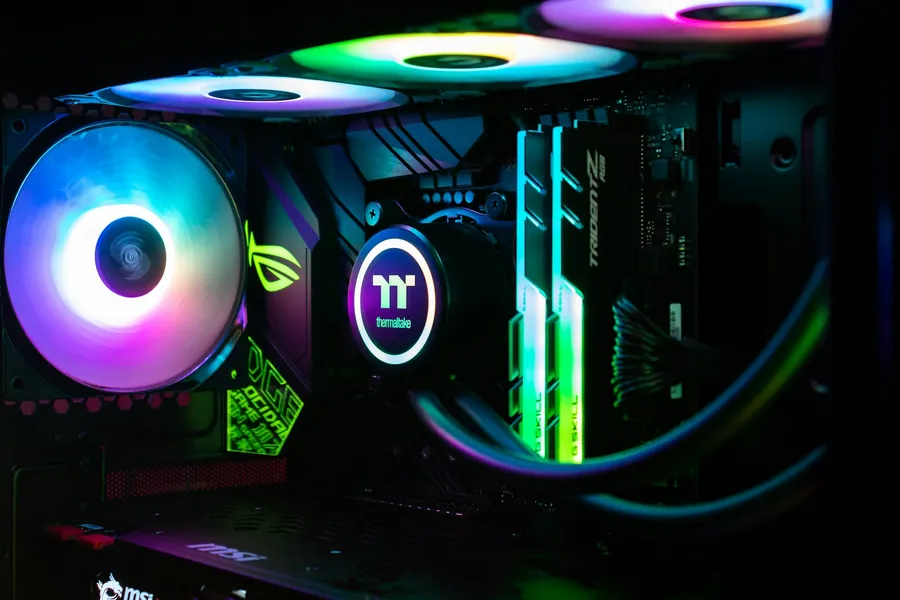
The case is often chosen last and only by how it looks. That is a shame, because a case is not just a box for the components. It decides cooling, noise, what will even fit inside the PC, and how easily the machine is built and maintained. Let us explain what to actually look at.
The size has to fit the motherboard
Cases come in several sizes and have to match the form factor of your motherboard:
- A full tower is the largest, for powerful and maximally expandable builds.
- A mid tower is the most common and ideal for most people; it takes a standard ATX board and ordinary components.
- A mini (mini-ITX) is small and compact, but has the least space and options.
A larger case means more room for cooling and expansion, a smaller one a more economical and compact computer.
Check that the components physically fit
This is most often underestimated. Modern parts tend to be large, so before buying check:
- The length of the graphics card. Today’s cards are long and may not fit in a smaller case.
- The height of the CPU cooler. A tall air cooler can hit the side panel.
- The power supply and any water-cooling radiator. The case maker always states the maximum supported dimensions.
A few minutes of checking dimensions will save you an unpleasant surprise during the build.
Airflow matters more than looks
A case mainly carries heat away from the components. The rule here is that airflow matters more than how prettily the case lights up. In general:
- A mesh front lets in more air and cools better.
- A solid glass front looks striking but lets in less air.
- What matters is enough places for fans and their sensible layout (cool air in at the front, warm air out at the back and top).
Good cooling means lower temperatures, more stable performance and often quieter operation too.
Noise, maintenance and assembly
- Quietness. Larger, better-quality cases tend to be quieter, and some have dampening materials.
- Dust filters. They make maintenance easier and keep the inside cleaner, which prolongs both lifespan and performance.
- Cable management. Space behind the motherboard and cable cutouts keep the inside tidy and improve airflow.
- Front panel. Check the number and type of USB ports including USB-C, and possibly a card reader.
Looks come last
Glass and RGB lighting are fine and there is nothing wrong with them, they just should not decide first. First sort out the size, whether the components fit and how the case cools, and only then worry about how it looks. A pretty computer that overheats or is noisy will stop pleasing you over time.
We will advise and build it for you
The right case has to fit the board, the components and the place where you put the computer. We will gladly advise you on the choice or build you a custom PC so everything fits comfortably, cools well and runs quietly.
A case that fits your build
We will advise on the right size, cooling and connectors, or build you a custom PC from scratch. For homes and businesses in the Liptov region.
Choose a PC caseThis article is part of our Hardware and components overview.
Frequently asked questions
What case size do I need for my motherboard?
How do I check that the components fit in the case?
Why does airflow matter in a PC case?
What is the difference between a mesh front and a glass front?
What makes maintenance and assembly easier?
Should looks decide the case first?
Need help with IT?
We will take care of your computers, networks and security - for businesses and households in the Liptov region.
Contact us