
How to choose a processor: what really matters and what to ignore
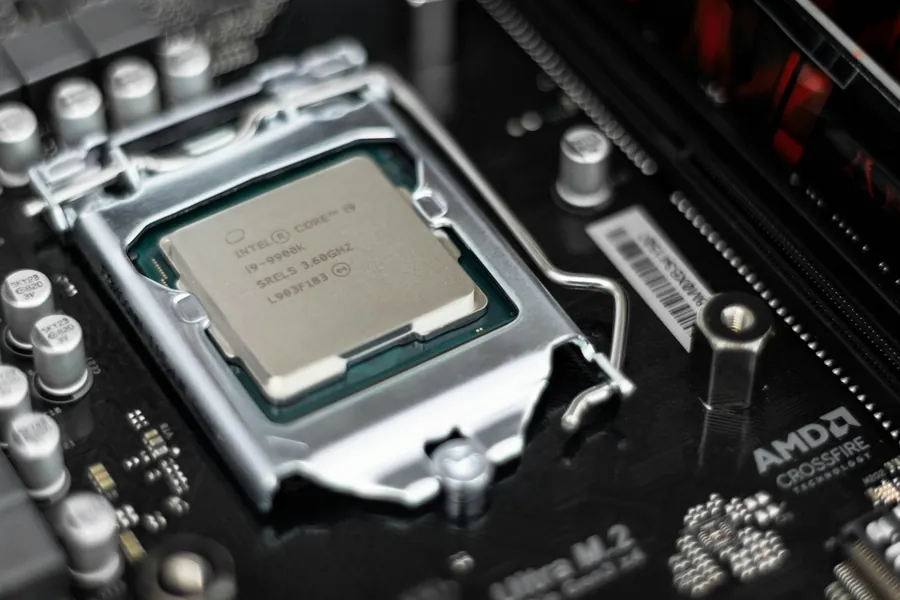
The processor (CPU) is the brain of the computer. It controls almost everything the computer does and, together with the graphics card, it most affects how snappily the machine runs. People most often look at gigahertz and core count, but those numbers tell you nothing on their own. Let us explain what really matters.
Processor versus graphics
First, a common misconception. The processor and the graphics card are not the same thing. The processor handles general tasks (the system, programs, calculations), while the graphics card takes care of the image and games. For office work and the internet a sensible processor matters most; for games it is mainly the graphics card. So always start from what you use the computer for.
Do not compare gigahertz across generations
The biggest myth is that higher GHz means a faster processor. Frequency (GHz) can only be compared within the same generation. A newer processor with lower GHz is often significantly faster than an older one with higher GHz, because it does more work per clock cycle. So look at the specific model and its generation, not at gigahertz alone.
Cores and threads: how many you need
A processor is made up of cores, each of which handles tasks independently. Thanks to threads, a single core can process two tasks at once. More cores help when you do several things at the same time or run demanding calculations. As a rough guide:
- 4 to 6 cores is plenty for office work, the internet and everyday use.
- 6 to 8 cores is today’s sweet spot for gaming and most users.
- 8 cores and more is appreciated by video editing, 3D, programming, streaming and demanding calculations.
Note that for gaming there is no point chasing as many cores as possible. Games appreciate fast cores rather than a huge number of them.
Match the processor to the rest of the PC
A processor does not work alone, and this is where the most common mistakes happen:
- The socket and the motherboard chipset. The processor must fit the socket on the board, otherwise you simply cannot install it. This is the most common mistake when buying separately.
- Cooling. A powerful processor needs a quality cooler. Some models include one in the box, others do not, so plan for that. More in our article on choosing CPU cooling.
- Balance with the graphics card. In a gaming PC the processor should match the graphics card. A weak processor will hold back a strong card (a bottleneck) and vice versa.
- Integrated graphics. Some processors have integrated graphics and can produce an image without a dedicated card, others do not. If you do not want to buy a graphics card, check this.
Intel or AMD?
Both brands make excellent processors, there is no need to be a fan of one. Intel (the Core line, that is i3, i5, i7, i9) and AMD (the Ryzen 3, 5, 7, 9 line) have models for every class, from the office to top-end powerful builds. Choose by the specific model, price and reviews, not by the logo. The numbers 3, 5, 7, 9 roughly indicate the performance class: a five for everyday use, a seven or nine for demanding users.
Do not buy more than you need
As with graphics, the most expensive processor “just in case” is usually money wasted. For the office you do not need an eight-core, and a gaming PC gains more from a good graphics card than from the most expensive processor. The smartest choice is to balance the parts according to what the machine actually does.
We will advise and build it for you
Choosing a processor means matching it to the board, cooling, memory and graphics all at once, and that is exactly where it is easy to go wrong. We will gladly advise you on the choice based on what you use the computer for, or build you a custom PC so everything fits and you do not overpay.
A processor matched to your whole build
We will advise on the right choice for what you use the computer for, matched with the board, cooling and graphics card. For homes and businesses in the Liptov region.
Choose a processorThis article is part of our Hardware and components overview.
Frequently asked questions
What is the difference between a processor and a graphics card?
Can you compare GHz across different processor generations?
How many processor cores do you need for everyday use and for gaming?
What is a CPU socket and why does it matter?
What is a bottleneck between the processor and graphics card?
Is Intel or AMD the better choice for a processor?
Need help with IT?
We will take care of your computers, networks and security - for businesses and households in the Liptov region.
Contact us