
How to choose RAM: how much you need and what to watch out for
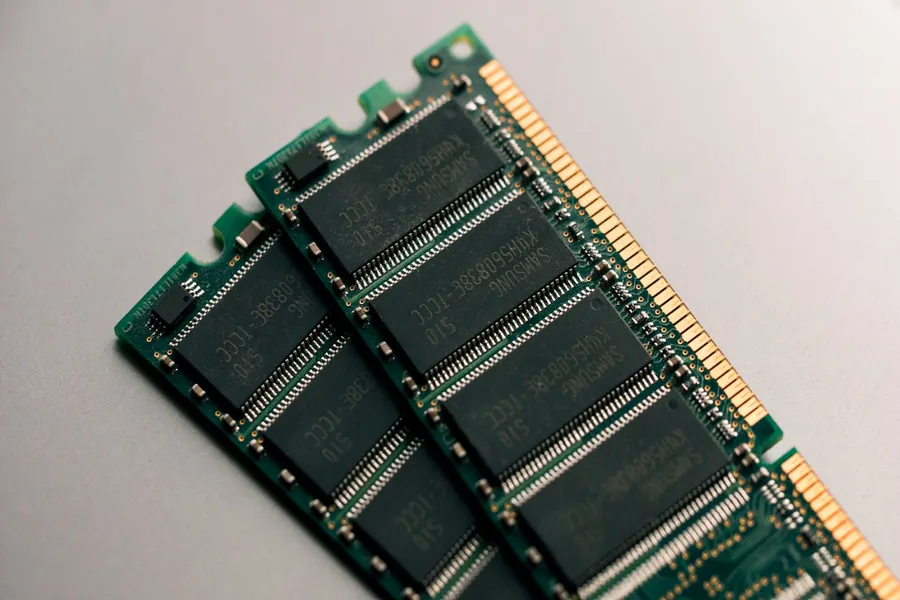
Random access memory (RAM) is the computer’s short-term working memory. It holds whatever you are working on right now, so the processor has it instantly to hand. When there is too little of it, the computer stutters even on ordinary tasks. When there is too much, it is wasted money. Let us explain how to get the right amount and type.
RAM is not the same as storage
First, a common misconception. RAM is not a drive. Working memory is temporary and is wiped when the computer is switched off; it serves only for working “here and now”. A SSD or hard drive, by contrast, is permanent storage where your files stay even after shutdown. When someone says “my memory is full”, they usually mean a full drive, not RAM. They are two different things, each solving something else.
How much RAM you really need
This is the most important question. As a rough guide for today:
- 8 GB is the absolute minimum for office work, the internet and e-mail. With several windows open it already gets tight.
- 16 GB is today’s sweet spot for most people, gaming included. This is where we recommend starting.
- 32 GB and more is appreciated by video editing, 3D, programming, virtual machines and demanding multitasking.
When a computer has too little memory, it starts helping itself with the drive (so-called swapping), which is far slower and shows up as stuttering. That is exactly why adding RAM is often the cheapest and most effective way to revive a slow computer.
Memory type: DDR4 or DDR5
The memory must match the motherboard and the processor. Today there are two current types, DDR4 and DDR5, and they are not interchangeable. A board supports only one of them, and a module will not even physically slot into the wrong board. So always check before buying which type your board needs.
Two modules are better than one
This is a practical tip that many people do not know. Memory works faster when two modules are fitted at once instead of one (this is called dual-channel mode). In practice it means that 2 × 8 GB is faster than a single 16 GB module, even though the capacity is the same. So when choosing, go for a kit of two modules.
Two practical things people often get wrong:
- Buy one matched kit, not separate modules. Mixing modules of different capacity or speed can cause instability, and modules from a single kit are tested to work together.
- The rated speed has to be enabled in the BIOS. The XMP profile (on Intel processors) or EXPO (on AMD) sets the memory to its full speed. Without it the RAM runs only at its slower base speed, and that is the most common reason behind the question “why is my RAM slow”.
Speed and compatibility
- Memory speed (given in MHz, or MT/s) affects performance, especially with AMD processors and with integrated graphics. For most people, though, a sensible speed supported by the board is enough; there is no need to chase the numbers.
- Maximum capacity and supported speed are set by the board. Check how much memory the board can handle and which modules are on its compatibility list.
- Free slots. If you leave a slot free, you can easily expand the memory later without replacing the original.
Do not buy needlessly much or expensive RGB
The most common trap is overpaying for extremely fast or glowing modules whose benefit an ordinary user will not feel. For most people the right choice is enough capacity in two modules at a sensible price. Only demanding work or a specific build justifies more expensive memory.
We will advise and upgrade your memory
Whether you are building a new computer or want to revive an older one, we will advise you on the right memory and fit it professionally too. If your computer runs slowly, adding RAM is often all it takes and you will feel the difference straight away. And if you are going for a new machine, we will build you a custom PC so everything fits.
Need help choosing memory?
We will recommend the right modules for your computer and fit them professionally too. For homes and businesses in the Liptov region.
Get in touchThis article is part of our Hardware and components overview.
Frequently asked questions
How much RAM do I need for everyday work and the internet?
How much RAM is ideal for gaming?
Is RAM the same as the storage on a computer's drive?
Why are two RAM modules better than one larger one?
What is an XMP or EXPO profile for RAM?
Do I need to buy high speed RAM or RGB lighting?
Need help with IT?
We will take care of your computers, networks and security - for businesses and households in the Liptov region.
Contact us