
How to choose a printer: inkjet or laser and what to watch for
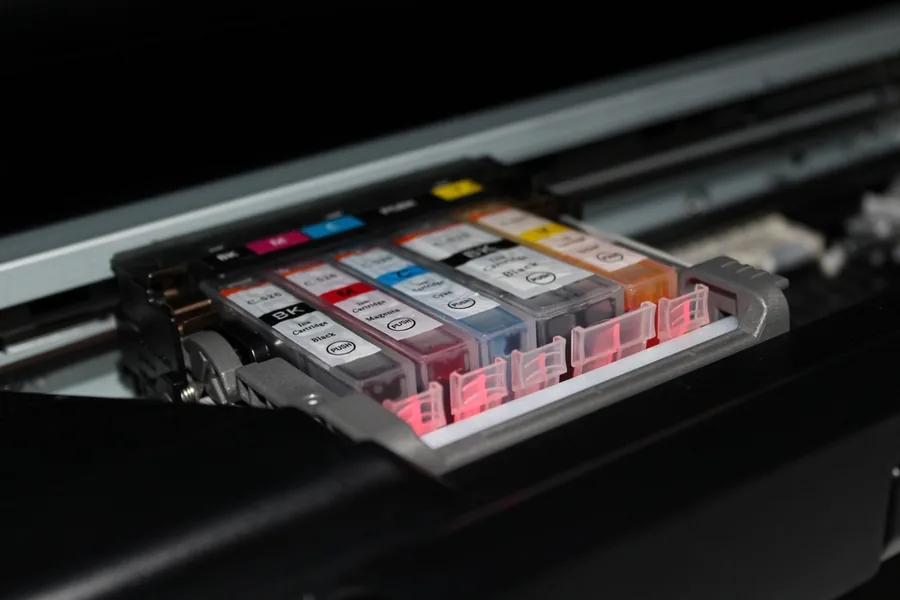
A printer is one of the few pieces of tech where a bad choice catches up with you a year later, when you find out how much it costs to print a single page. The price of the printer itself is often the least important thing. What matters is what and how much you print. Let us break it down, and at the end our configurator will recommend the right type based on a few questions.
Configurator: which printer suits you
Answer five questions and we will recommend a printer type. It is a guide, not gospel, but in most cases it points you the right way.
1. Where will you print the most?
2. Roughly how much do you print?
3. Do you need colour printing?
4. Do you print photos?
5. Do you also need to scan or copy?
Please answer all the questions.
Mono laser printer
Fast and the cheapest for text. The toner does not dry out even when you do not print for weeks, so it is ideal for documents and occasional printing. It will not do colour or photos, but for black text it is unbeatable.
Colour laser printer
For an office with higher volume and colour documents. It is fast, has a low cost per page and the toner does not dry out. Not ideal for photos, but for colour contracts, tables or flyers it is the right choice.
Ink tank inkjet printer
Colour printing with a very low cost per page, ideal for a home or home office. Instead of expensive cartridges, you refill ink from bottles. One caveat: print at least now and then so the ink does not dry up.
Photo inkjet printer
For the best photo quality, go for an inkjet, ideally one with several ink colours or with tanks. Ink gives smoother colour transitions than laser. If you print photos in volume, an ink tank model is worth it for the cost.
On top of that, choose a multifunction model that combines printing, scanning and copying in one device.
Want certainty or a specific model? Get in touch and we will advise exactly to your needs.
Inkjet vs laser: the main decision
This is the first and most important choice. Both technologies have their place:
- Laser prints with toner (powder) that is fused into the paper. It is fast, cheap for black text and the toner does not dry out, even if you do not print for a long time. It suits documents and higher volume.
- Inkjet prints with liquid ink. It handles colour and photos better and is usually cheaper to buy. The downside is that the ink can dry out if you print only very rarely, and cartridges tend to be expensive per page (unless it is a tank model).
Simply put: a lot of black text = laser, colour and photos = inkjet.
Running costs matter more than the printer price
The most common mistake is buying a cheap printer and then paying a fortune for refills. Watch the cost per printed page, not just the price of the device:
- Inkjet cartridges are convenient but expensive. With frequent printing, refills will eventually exceed the price of the printer.
- Ink tanks are now the cheapest for colour printing. You refill ink from bottles and the cost per page is a fraction of cartridges.
- Toner in a laser printer lasts hundreds to thousands of pages and the cost per page for mono printing is low.
- Original vs compatible: compatible refills are cheaper but not always reliable. For important printing and photos, originals are worth it; for everyday documents, a proven compatible is usually fine.
Colour vs mono
If you print almost exclusively text (contracts, study materials, invoices), a mono printer will save you money and hassle. Choose colour only when you will really use it. Watch one detail: with many colour printers you cannot print black if even one colour runs out, which is annoying with cheap cartridges.
Multifunction: print, scan and copy in one
A multifunction printer (MFP) also scans and copies. For most homes and offices this is a sensible standard today, because a scanner comes in handy more often than you expect (documents, contracts, signed papers). If you will never use a scanner, you save by buying a standalone printer.
What else to consider
- Connectivity: Wi-Fi and printing from a phone are almost a given today. For a company, a network (LAN) port is handy too.
- Duplex (two-sided printing): automatic duplex saves paper and time, it is worth it.
- Format: A4 is enough for most people. Choose the larger A3 only if you really need it.
- Speed and duty cycle: for a company, check pages per minute and the recommended monthly volume so the printer keeps up and lasts.
Which one for whom, in short
- Home, little printing, mostly text: mono laser (toner does not dry out).
- Home or home office, colour and photos: ink tank inkjet.
- Photos first: photo inkjet.
- Company, lots of documents, including colour: colour laser, multifunction.
We also service and repair printers of all brands (HP, Canon, Epson, Brother and more).
Need help choosing a printer?
We will recommend the right type, configure it and connect it to your network. For homes and businesses in the Liptov region.
Get in touchThis article is part of our Hardware and components overview.
Frequently asked questions
Which is better, an inkjet or laser printer?
Why does cost per page matter more than the printer's price?
What are ink tank printers and are they worth it?
Why is a laser printer not a good choice for photos?
Do I need a multifunction printer with a scanner?
Why does a colour printer refuse to print black when a colour cartridge is empty?
Need help with IT?
We will take care of your computers, networks and security - for businesses and households in the Liptov region.
Contact us