
How to place wifi correctly and why a stronger router does not exist
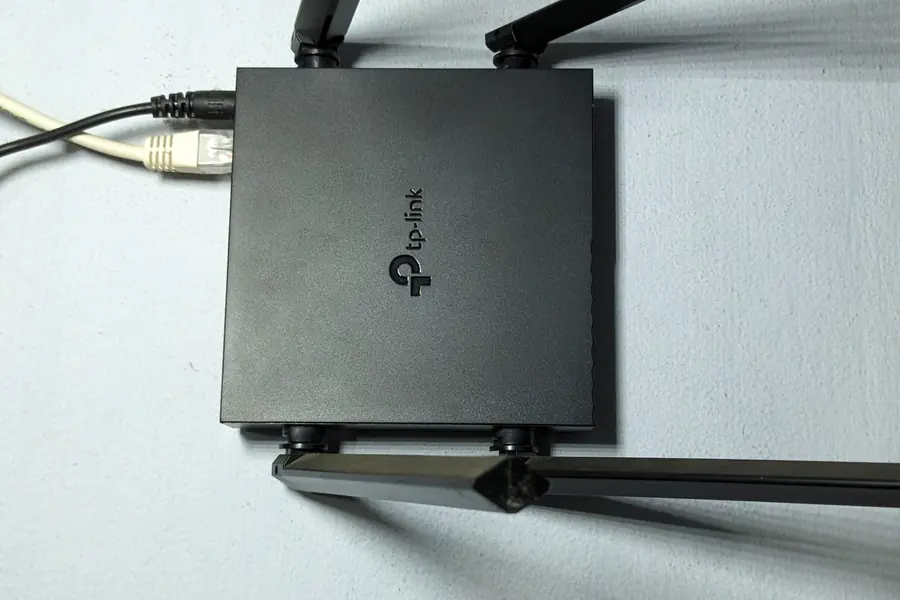
Photo: VulcanSphere · CC BY 4.0 · Wikimedia Commons
When wifi does not reach somewhere, most people look for a stronger router. But such a thing essentially does not exist, and the solution is almost always better placement or more access points. Let us explain how power, gain and antenna directivity work and where to actually put wifi.
Why placement matters more than power
Wifi is a radio signal, and it reacts very sensitively to where the transmitter is and what is in the way. A router hidden in a corner, in a cabinet or in the basement has no chance of covering the flat, no matter how expensive it is. Good placement makes a bigger difference than any “more powerful” model.
The myth of the strong router: regulations do not allow it
When someone asks us for a strong wifi router with the longest possible range, we just smile. The transmit power of wifi is limited by law. In our conditions, the cap on the 2.4 GHz band is around 100 mW, and every ordinary router is already at this limit. So you cannot buy a “stronger” one, because it would be illegal and would interfere with everyone around. The solution is not more power, but better placement or more access points.
Antenna gain and directivity
It is important to understand that an antenna does not increase power, it just distributes it differently. A higher antenna gain (in dBi) means the signal is sent as a narrower, flatter beam further to the sides, but at the expense of coverage above and below the antenna.
- An omnidirectional antenna (an ordinary router) radiates the signal around itself in all directions, which is what you want at home.
- A directional antenna aims the signal in one direction, suiting a link out to the yard or a wireless link between buildings, not covering a flat.
Where to place the router
- In the center of the flat or house, not in a corner.
- Up high on a shelf, not on the floor or behind the television.
- Away from metal, mirrors, the microwave and water (an aquarium, a boiler), which absorb the signal.
- With free space around it, not closed in a cabinet or a rack.
- Orient the antennas vertically for coverage across a floor, and across several floors one vertical and one horizontal helps.
Obstacles that kill the signal
Every wall weakens the signal, and some materials especially: concrete, brick, metal, mirrors and water. It also helps to know this: the 5 GHz band is faster but penetrates walls worse, while 2.4 GHz reaches further but is slower and more congested.
When one point is not enough: more access points
In a larger house, across several floors or through thick walls, one router simply cannot cover everything. The correct and legal solution for “long range” is more access points ideally connected by cable, or a mesh system. Each point covers its zone and devices switch between them automatically. This works far better than one “strong” router.
Practical tips
- Do not use a wifi repeater, usually at half the speed.
- A cable to the access point is always the most reliable. Think of it during construction, as we write in the article on sockets in a new build.
- You will find more tips in the article how to speed up your home wifi.
Wifi still not reaching every room?
We will measure the coverage on site and design the right placement of your router or access points. For homes and businesses in the Liptov region.
Get better coverageThis article is part of our Computer networks overview.
Frequently asked questions
Where is the best place to put a wifi router at home?
Can I buy a wifi router with a stronger signal and longer range?
Does a higher gain antenna improve wifi range?
Why does wifi struggle to get through walls?
What should I do when one router cannot cover the whole house?
Is a wifi repeater worth using to extend coverage?
Need help with IT?
We will take care of your computers, networks and security - for businesses and households in the Liptov region.
Contact us