
How to secure a router: WPA3, WPS and remote access
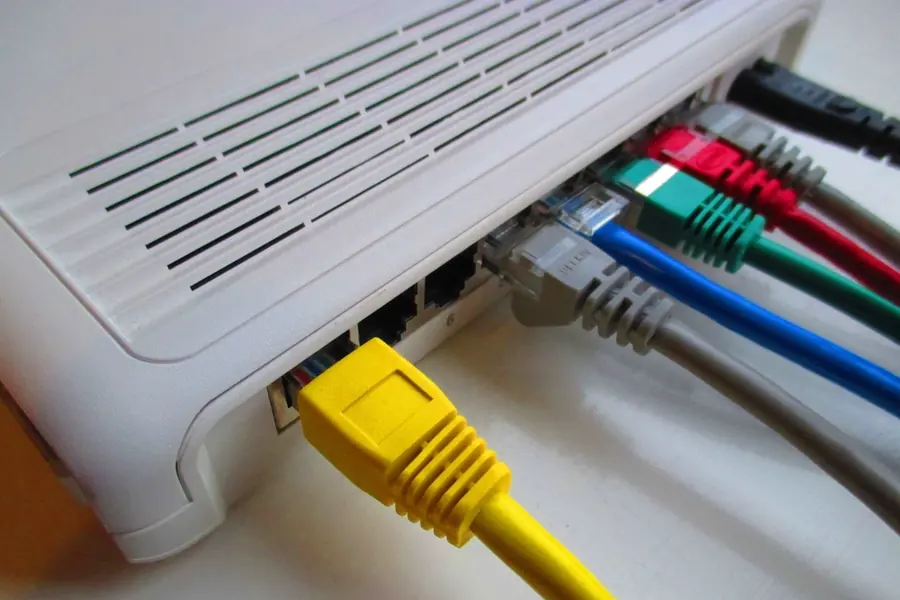
Photo: Dinkun Chen · CC BY-SA 4.0 · Wikimedia Commons
The router is the gateway to your whole network, and so also the first target for attackers. If it stays in factory settings, it is vulnerable. The good news is that you can secure it in a few minutes. Let us go through the steps that really matter.
Change the default admin password
Routers ship with a factory login name and password, often something like admin and admin. These details are publicly known for every model. So the first thing after connecting is to change the router admin password to your own strong one. Do not confuse it with the wifi password, they are two different things.
Wifi encryption: WPA3, or WPA2
The way your wifi is secured decides whether someone can get into it:
- WPA3 is the newest and most secure standard. If both the router and the devices support it, use it.
- WPA2 (with AES encryption) is still fine and use it where older devices cannot handle WPA3.
- Never use WEP or an open network without a password. WEP can be broken in a few minutes and an open network is wide open to anyone.
Set a long and unique password for the wifi, ideally a whole phrase.
Disable WPS
WPS is a feature that was meant to make connecting easier, either by pressing a button on the router or by entering an eight-digit PIN code. The problem is that this PIN can be guessed by brute force, letting an attacker into the network even without knowing the password. So disable WPS in the router settings, the convenience is not worth the risk.
The router admin must never be reachable from the internet
This is crucial. Many routers have a remote management feature that lets you log into the admin over the internet from outside. Turn this feature off. If it is on, attackers from all over the world can try passwords on your router. The admin should be reachable only from your home network. When you need access from outside, use a VPN instead.
Update the firmware
Manufacturers continually fix security holes through firmware updates. Turn on automatic updates, or occasionally check whether a newer version is available. Outdated firmware is a common route of attack.
Other useful steps
- A guest network for visitors and smart home devices, separated from your computers.
- Changing the network name (SSID) so it does not reveal the router model.
- Disabling unused services, for example UPnP, if you do not need it.
A practical step-by-step procedure
If you are setting up the router for the first time, go through this procedure in order. It takes roughly fifteen minutes:
- Connect to the router with a cable or over wifi and enter its address in the browser, most often 192.168.1.1 or 192.168.0.1. You will also find it on the label on the bottom of the device.
- Sign in with the factory details from the label and, as the very first step, change the admin password to your own long and unique one.
- In the wireless section, set WPA3, or the WPA2/WPA3 mixed mode if you also have older devices. Choose a long wifi password, ideally a whole sentence.
- Disable WPS, usually in the same section as the wifi settings.
- In the advanced settings, turn off remote management (access from WAN) and UPnP, if nothing requires it.
- Check the firmware and install the latest version. If the router offers automatic updates, turn them on.
- Create a guest network for visitors and smart devices.
- Finally, restart the router and check the list of connected devices for anything you do not recognise.
Recommended settings at a glance
| Setting | Recommended value | Why |
|---|---|---|
| Admin password | your own, long, unique | factory details are publicly known |
| Wifi encryption | WPA3, or WPA2 (AES) | protects traffic from eavesdropping |
| Wifi password | a phrase of 15+ characters | short passwords can be guessed |
| WPS | disabled | the PIN can be brute-forced |
| Remote management | disabled | internet attacks on the admin |
| Firmware | automatic updates | fixes for security holes |
| Guest network | on for visitors and smart devices | separation from your computers |
Common mistakes and myths
- “I will hide the network name and become invisible.” You will not. An attacker discovers a hidden SSID with a common tool in seconds, and you make connecting your own devices harder on top of that.
- “MAC address filtering will protect me.” The MAC address of a connected device is visible over the air and easy to imitate. As protection it is more of an illusion.
- “I am an ordinary person, nobody cares about my network.” Attacks are automated and try everything they find. A compromised router gets abused for further attacks, sending spam or eavesdropping.
- “The password on the label from the provider is good enough.” It tends to be short and sometimes derived from the model or serial number. Always set your own.
- “Set it once and I am done.” Without firmware updates the router becomes vulnerable over time, even if you set everything correctly.
Troubleshooting
Forgot the admin password? Hold the reset button on the router for about ten seconds. The router returns to factory state, you sign in with the details from the label and repeat the whole setup.
An older device will not connect after enabling WPA3? Switch the router to the WPA2/WPA3 mixed mode. New devices will use WPA3, old ones stay on WPA2 and the network works for all of them.
Nothing connects after changing the password? That is expected, every device has to forget the old saved connection and sign in with the new password. Choose “forget network” on the device and connect again.
Not sure whether remote management is off? Look for items like Remote Management, Web Access from WAN or Cloud Access. Anything that allows access from outside should be off, or replaced by a VPN.
Summary
A strong admin password, WPA3 or WPA2, WPS disabled, remote access off and up-to-date firmware. These few steps make your router a much harder target. You will find more context in the article on cybersecurity principles.
We will secure your network for you
We will set up the router, enable the right encryption, disable risky features and check the whole network including connected devices. For homes and businesses in the Liptov region.
I want a secure networkThis article is part of our Cybersecurity overview.
Frequently asked questions
How do I get into the router admin?
What is the difference between the admin password and the wifi password?
Is WPA2 still secure?
Why is WPS dangerous?
Does hiding the network name or MAC address filtering help?
What should I do if the router no longer receives firmware updates?
Need help with IT?
We will take care of your computers, networks and security - for businesses and households in the Liptov region.
Contact us