
How to link two buildings wirelessly with directional antennas
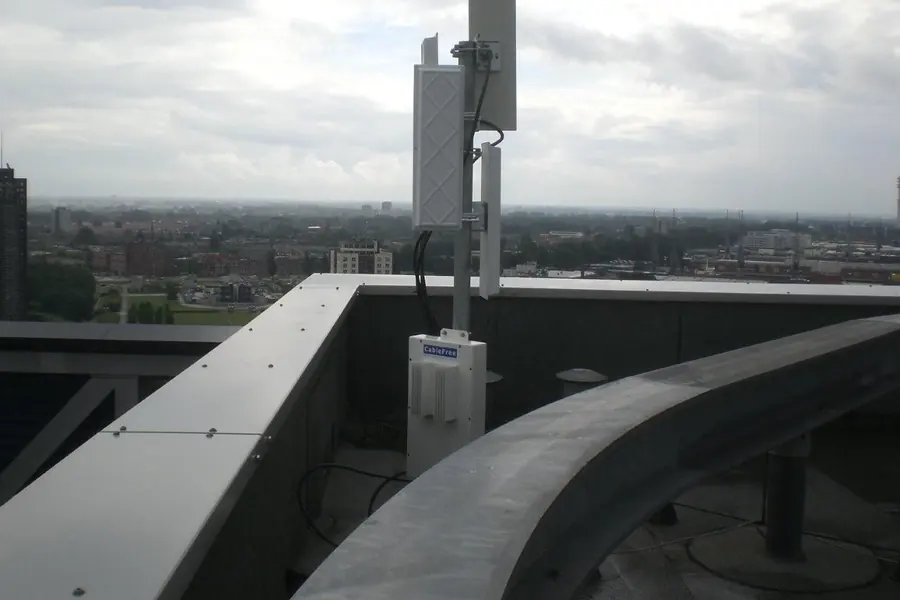
Do you need to bring internet and the network to a second building, a workshop, a garage or to a neighbor across the yard, but a cable is hard to run there? The solution is a wireless link via directional antennas. It is faster and cheaper than digging, and with the right setup it works reliably. Let us explain how it works and what to keep in mind.
When a wireless link makes sense
A wireless link makes sense wherever a cable cannot be run easily: across a road, a stream, a neighbor’s land or over a greater distance, where digging would be expensive and complicated. Instead of digging a trench, you mount a small antenna on each building and within a few hours the network is linked.
How it works: a point-to-point link
The principle is two directional antennas aimed precisely at each other. Unlike ordinary wifi, which radiates in all directions, a directional antenna concentrates the signal into a narrow beam. Thanks to this it reaches a great distance and a high speed too. It is called a point-to-point link, because it connects exactly two places. One antenna connects to the network in the main building, the other to the network in the target building, and the signal flies through the air between them.
The key condition: line of sight
This is the most important: there must be line of sight between the antennas. A tree, the corner of a building or a hill in the way will weaken the signal significantly or break it completely. So the antennas need to be placed high enough to “see” each other without obstacles. At higher frequencies, leafy tree crowns or heavy rain also get in the way, which has to be reckoned with when planning.
Bands and range
- 2.4 GHz has the greatest range and gets around obstacles better, but is slower and tends to be congested.
- 5 GHz is the most common compromise between speed and range for most links.
- 60 GHz offers enormous speed over a shorter distance, but is sensitive to the weather.
Depending on the band and antennas, the range goes from hundreds of meters to kilometers.
What such a link needs
- A pair of directional units (antennas) intended for a point-to-point link.
- Power over PoE, so only a single network cable runs to the antenna, carrying both data and power. More in the article on PoE.
- Mounting on a wall or mast and precise aiming of the antennas at each other.
- A connection to the network at both ends through a switch.
What not to forget
- Line of sight and sufficient antenna height.
- Surge protection and grounding, since the antenna is outside and lightning is a risk. This is related to surge protection.
- Weather and band, so the link holds even in rain and is not congested.
- Securing the link with encryption, so no one eavesdrops on your traffic.
If line of sight is impossible, an alternative is fiber in a conduit.
Wireless building links tailored to you
We design, build and precisely aim the link between your buildings, also as part of our IT support for companies. For homes and businesses in the Liptov region.
Link my buildingsThis article is part of our Computer networks overview.
Frequently asked questions
How does a wireless link between two buildings work?
Why is line of sight needed for directional antennas?
What range does a wireless link between buildings have?
What is the difference between the 2.4 GHz, 5 GHz and 60 GHz bands?
What is needed to build a wireless link?
What risk do antennas mounted outside face?
Need help with IT?
We will take care of your computers, networks and security - for businesses and households in the Liptov region.
Contact us