
Computer beeping at startup: what the buzzer codes mean
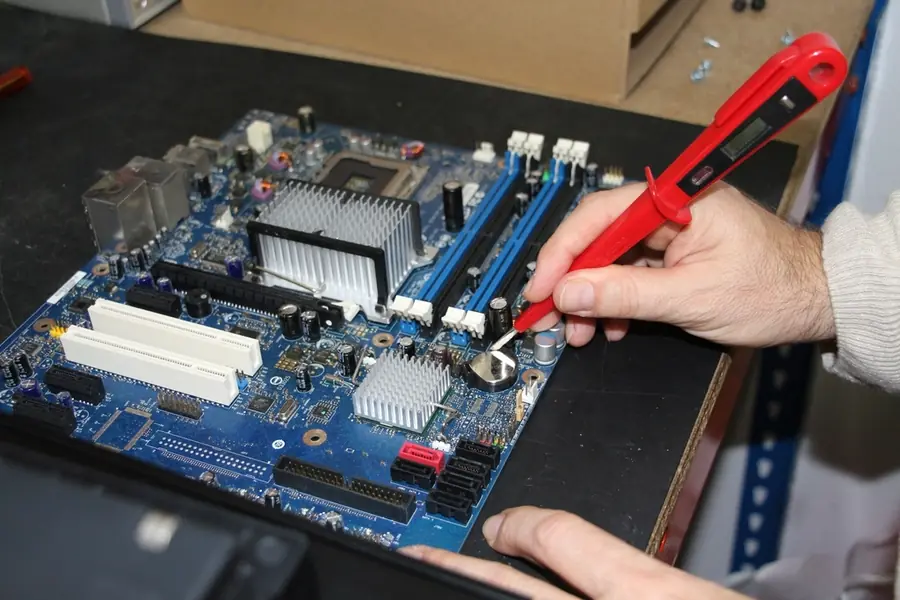
You turn on the computer and instead of booting it just beeps, or beeps and stays on a black screen. It is not random, the computer is reporting a specific fault this way. These beeps are called buzzer (beep) codes and they are essentially diagnostics in audio form. Let us explain how to read them.
What buzzer codes are and why they exist
At every power-on, the computer runs a hardware self-test, the so-called POST (Power-On Self-Test). It checks the memory, graphics, processor and other parts. If everything is fine, the computer boots (often with one short beep). If it finds a problem and the screen does not work yet, it has no way to display the error, so it beeps it out through a small speaker (buzzer) on the motherboard.
The number, length and order of beeps form a code that says what is wrong. That is exactly why buzzer codes are useful: the hardware tells you where to look, even when the monitor stays black.
How to read the codes
It is important to notice three things:
- The number of beeps (for example one, three, five).
- The length (short versus long beeps).
- The pattern (for example one long and two short).
The meaning of the codes differs by the BIOS and motherboard manufacturer. The same number of beeps means something different across manufacturers. That is why it is key to find out what BIOS or board you have (brand and model), and based on that look up that manufacturer’s exact code table.
The most common causes the codes point to
Although the codes differ, they most often report these problems:
- Memory (RAM). A very common cause. It helps to remove and reinsert the memory, or clean it.
- Graphics card. A poorly seated or faulty graphics card.
- The processor or its power.
- The motherboard or its parts.
- The keyboard or other hardware at startup.
It is often a poorly seated component (memory, graphics) that runs after removing and reinserting it. This relates to the signs that a computer needs servicing.
What to do when the computer beeps and will not start
- Count the beeps and remember the pattern (number and length).
- Find out the BIOS or board manufacturer and look up its code table.
- Try the basic steps. If memory or graphics are suspected, carefully remove and reinsert them (with the computer off and unplugged).
- Clean off dust, which can cause poor contact, this relates to maintenance.
- If that does not help, it is a deeper hardware problem and servicing pays off.
Note: a new computer may no longer have a buzzer
Many newer computers and laptops no longer have a built-in speaker (buzzer), so instead of beeping they signal a fault differently: by blinking LEDs or light codes (for example a combination of colors and the number of blinks). The principle is the same as with beeping, just visual, and the meaning table is again from the manufacturer.
Conclusion
Buzzer codes are diagnostics in audio form: through beeps the computer reports what bothers it at startup, even when the screen does not work. The key is to count the beeps, find out the manufacturer and look up its table. Most often it is memory or graphics, and sometimes reseating the component is enough.
Computer beeps, blinks and will not start? Get in touch, we will diagnose and repair the fault.
Computer beeping and you do not know why?
We diagnose buzzer codes and other faults on site and repair the hardware so the computer starts up again. For households and businesses in Liptov.
Book a diagnosisThis article is part of our Repair and maintenance overview.
Frequently asked questions
What does it mean when a computer beeps at startup?
How should I remember the beeps and what do I do next?
What most often causes a computer to beep?
What should I do when the computer beeps and will not start?
Can dust cause beeping?
Why does my new laptop not beep even though it has a fault?
Need help with IT?
We will take care of your computers, networks and security - for businesses and households in the Liptov region.
Contact us