
Bluetooth and its versions: what they mean and what to watch out for
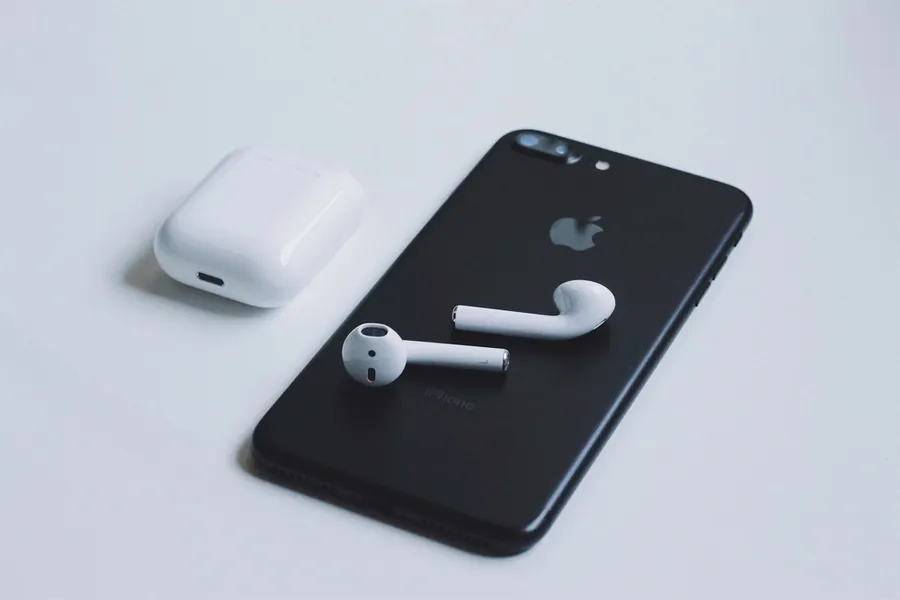
We have Bluetooth in headphones, a mouse, a speaker and the car, yet its versions and abbreviations can really tie your head in knots. What does Bluetooth 5.0 bring? Why do two versions of a number not guarantee better sound? Let us explain clearly and in depth the Bluetooth versions and what to watch out for when buying.
What Bluetooth is
Bluetooth is a short-range wireless technology that links devices without cables. It works in the 2.4 GHz band and, after the first pairing, devices connect automatically. It suits sound (headphones, speakers), control (mouse, keyboard) and transferring small bits of data from sensors and watches.
Bluetooth versions
The version numbers tell what the technology can do in a given generation:
- Bluetooth 4.0 introduced Bluetooth Low Energy (BLE), a frugal mode for battery devices like watches and sensors.
- Bluetooth 5.0 brought roughly twice the speed and four times the range over the previous version, plus more throughput. Today it is a common standard.
- Bluetooth 5.1 added more precise direction and position finding of a device.
- Bluetooth 5.2 brought LE Audio and the new LC3 codec, which gives better sound at lower power, plus the Auracast feature for broadcasting sound to several listeners at once.
- Bluetooth 5.3 and 5.4 mainly bring higher reliability, lower power use and improvements around LE Audio.
Classic versus Low Energy
Bluetooth actually has two branches that serve different purposes:
- Bluetooth Classic keeps a continuous connection and is used for streaming sound to headphones and speakers.
- Bluetooth Low Energy (BLE) sends only short bursts of data and saves the battery. It is used by watches, sensors and fitness bands. Until recently it could not handle quality sound, which the aforementioned LE Audio is changing.
Range and power classes
Range depends on the power class and the environment. Ordinary devices (class 2) have a range of around 10 meters, more powerful ones more. Walls, people and interference shorten the range, though, so marketing figures like “up to 240 meters” only hold in open space without obstacles.
Profiles: what Bluetooth is for
For two devices to work together, they must share a profile, which is a set of rules for a given activity. The most common are A2DP for carrying sound, HFP for phone calls (handsfree) and HID for a mouse and keyboard. That is why a speaker, for example, serves for music but does not control the computer.
Codecs for sound (important with headphones)
With wireless sound, the codec decides, that is the way the sound is compressed and carried:
- SBC is the basic codec that every device handles.
- AAC is popular especially on Apple devices.
- aptX and aptX HD offer better sound on many Android devices.
- LDAC by Sony aims at high-resolution sound.
- LC3 is the new LE Audio codec with a good balance of quality and power use.
The important thing is that a better codec must be supported by both sides, that is the headphones and the phone. Otherwise they connect only on the basic SBC.
Compatibility and practical tips
Bluetooth is backward compatible, so newer headphones work with an older phone too. But beware of a mistake: a higher version number alone does not guarantee better sound, that depends on the codec and profile on both devices. So when buying headphones, look at the supported codecs and the Bluetooth version of both the phone and the headphones. A pleasant feature is also multipoint, that is connecting to two devices at once (for example a phone and a laptop).
Choosing wireless headphones or accessories?
We advise on the choice based on codecs, Bluetooth version and what you will use them for. For homes and businesses in the Liptov region.
Get adviceThis article is part of our Hardware and components overview.
Frequently asked questions
What is the difference between Bluetooth 4.0 and 5.0?
Does a higher Bluetooth number always mean better sound?
What are LE Audio and the LC3 codec?
What is the real range of Bluetooth devices?
What are Bluetooth profiles like A2DP or HFP?
Which Bluetooth codec is best for music?
Need help with IT?
We will take care of your computers, networks and security - for businesses and households in the Liptov region.
Contact us