
MikroTik: why professionals love it (and beginners fear it)
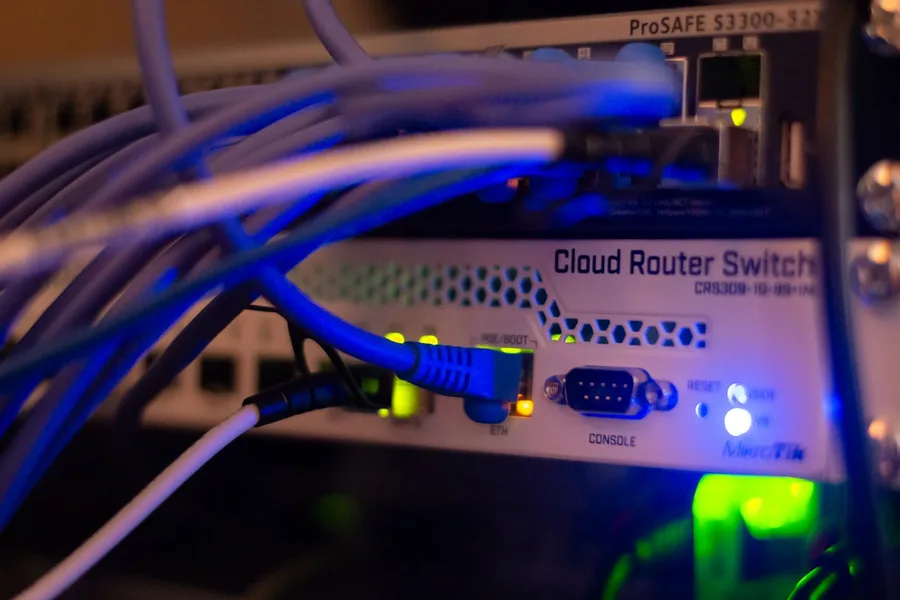
If you ever move among people who build networks, the name MikroTik will come up sooner or later. For some it is a miracle for a few euros, for others a bogeyman with an incomprehensible setup. The truth is somewhere in between and it is worth explaining, because behind that reputation is one of the most interesting stories in the networking world.
Who MikroTik is
MikroTik is a Latvian company based in Riga, founded in 1996. It started at a time when professional networking hardware was the domain of a few big brands and cost a fortune. MikroTik took the opposite route: build a powerful operating system that turns an ordinary computer into a full-fledged router, and later put it into its own low-cost devices.
This philosophy still drives the company today. MikroTik does not sell expensive design or marketing, it sells features. For the money that buys a basic router elsewhere, here you get a device with the kind of capabilities that enterprise gateways have at ten times the price. The price for that is that nobody holds your hand.
RouterOS and RouterBOARD: two names worth knowing
The whole world of MikroTik stands on two pillars. RouterOS is their Linux-based operating system. It is what turns a device into a router, firewall, VPN gateway, guest hotspot or switch. RouterBOARD is the name of their hardware platform, meaning the boards and devices RouterOS runs on.
The magic is that RouterOS is almost identical on a cheap home device and on a powerful business machine. You learn it once and you can operate the entire range. It is managed through the Winbox tool, through a web interface or from the command line, and that very depth of options is why professionals love it.
What MikroTik can do today
The range is broad today and it is far from just one type of router. In a simplified view it includes:
| Category | What it does | Typical example |
|---|---|---|
| Home routers | router and WiFi for a flat or small office | hAP line |
| Routers without WiFi | routing and firewall where WiFi is handled by another device | hEX line |
| Switches | wired connections, some with advanced management | CRS and CSS lines |
| Powerful routers | heavy traffic, operators, data centres | CCR line |
| Wireless devices | coverage and links between buildings over kilometres | SXT, LHG, mANT antennas |
| Wireless bridges | fast link between two points, even on the 60 GHz band | Wireless Wire |
On top of that came a newer line with WiFi 6 support, devices with LTE for places without fixed internet, and switches with high-speed ports. In software, RouterOS handles advanced routing protocols, VPN including the modern WireGuard, traffic prioritisation (QoS) and central management of multiple WiFi points via CAPsMAN.
Who MikroTik really suits
MikroTik is in its element where an ordinary router stops being enough:
- Small internet operators (WISPs) and providers for whom the price per device is crucial.
- IT companies and technicians who need flexibility and full control over the network.
- Businesses with more demanding requirements: separated networks for accounting and guests, VPN for branches, wireless links between buildings.
- Enthusiasts and home labs, where learning and experimenting are part of the fun.
Conversely, for a household that just wants to unbox and have WiFi, MikroTik is often needlessly complex. That is not its fault, it is a tool for a different kind of user.
Strengths and weaknesses, without sugar-coating
To be fair, both sides need saying. The strengths are clear: an excellent price-to-performance ratio, a huge set of features, a consistent system across the whole range and reliable hardware that runs for years.
The weaknesses are the other side of the same coin. The learning curve is steep and the setup is not for a layperson. MikroTik does not have as polished and simple central management as some competitors, and a misconfigured device can become a hole in the network. In short, you get a professional tool that assumes you know what you are doing.
Security honestly: what happened in the past
There is a reputation around MikroTik that it is “full of holes”. That is not quite accurate, but it has a real basis, and it is honest to explain it. In 2018 a serious vulnerability appeared in the management tool that let attackers obtain login credentials from a device. Anyone who kept RouterOS updated was safe, but a huge number of devices in the world were never updated.
The result was that unpatched MikroTiks were drawn into botnets and attacks at scale. It was not a flaw that could not be fixed, it was neglected maintenance. The lesson is simple and applies to every network device: keep the system up to date, use a strong password, restrict management access to trusted places only and disable services you do not need. MikroTik gives you all the tools for a secure setup, you just have to use them.
When MikroTik and when something else
If you are after maximum features and control for reasonable money and you have the knowledge or can arrange it, MikroTik is hard to beat. If, on the other hand, you want a network managed clearly from one nice interface without learning networking theory, take a look at the Ubiquiti UniFi ecosystem, which is built precisely on simplicity.
In practice it is often not an either-or question. We wrote a detailed comparison of both worlds and the typical scenarios where each fits in the article MikroTik versus Ubiquiti: which to choose.
Conclusion
MikroTik is a brand that has earned its reputation in both the good and the cautious sense. It offers exceptional value and freedom you will not find elsewhere for the money, but it asks for knowledge and discipline in maintenance in return. In the hands of someone who understands it, it is one of the most powerful tools on the market. In the hands of a beginner it tends to be a source of needless trouble, which is exactly why it pays to involve someone who works with it every day.
Considering a MikroTik network?
We will design, configure and above all securely lock down a MikroTik network, or advise whether another solution suits you better. For homes and businesses in Liptov.
Get adviceThis article is part of our guide to Computer networks.
Comments and questions 0
We keep the discussion to the point. Ads, links to other services, profanity and personal attacks will not be published. Neither will posts containing other people's personal data.
Frequently asked questions
What is MikroTik?
What is RouterOS?
Is MikroTik suitable for an ordinary home?
Is MikroTik secure?
Why is MikroTik so cheap?
Do I need an expert for MikroTik?
Need help with IT?
We will take care of your computers, networks and security - for businesses and households in the Liptov region.
Contact us