
What Is a PTR Record and Why Your Email Ends Up in Spam Without One?
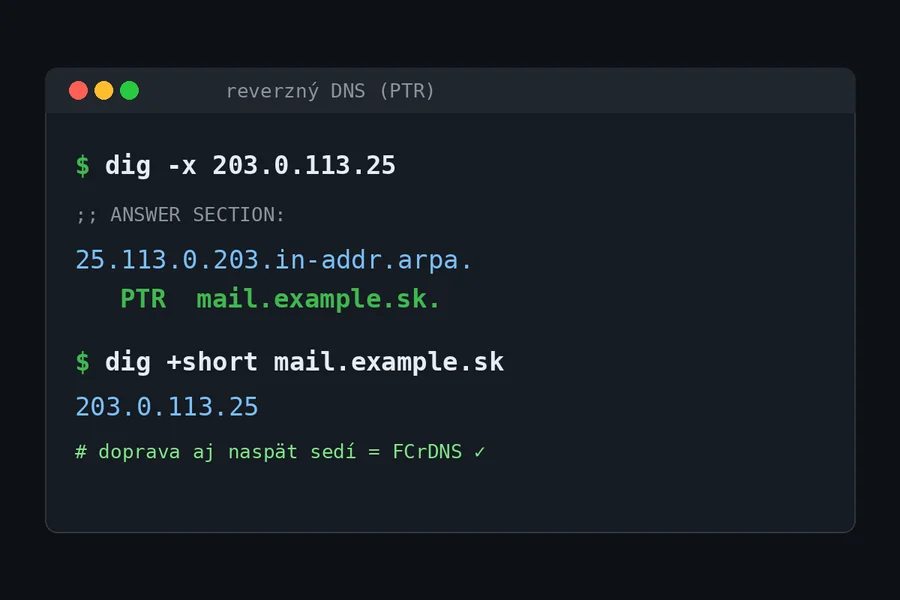
Illustration: TIPTECH
When building your own mail server you will run into three letters that decide whether anyone ever sees your emails: PTR. We ran into them in practice this very week while preparing a mail server for multiple domains, so it is the perfect moment to explain what reverse DNS is, why the mail world requires it and how to request it.
DNS in reverse
Regular DNS translates names to numbers: you ask about mail.example.com and get an IP address. A PTR (pointer) record does the exact opposite: you ask about an IP address and get a name. That is why it is also called reverse DNS or rDNS.
Technically it lives in a special domain called in-addr.arpa, where the IP address is written backwards. For the address 203.0.113.25 the system asks about 25.113.0.203.in-addr.arpa. You do not have to remember that, the tools do it for you:
dig -x 203.0.113.25        # Linux and Mac
nslookup 203.0.113.25      # Windows
If the forward and reverse lookups lead to the same name-address pair (the name has an A record pointing to the same IP), it is called FCrDNS (forward-confirmed reverse DNS) and it is the gold standard of trust.
Why mail servers care
When your server connects to a foreign mail server and says “hello, I am mail.yourdomain.com”, the recipient has no reason to believe it; anyone can claim anything. So it runs a quick check: it looks at the IP address the connection came from and verifies through PTR who it belongs to.
The logic is statistical. A huge share of spam has historically been sent from compromised computers on home connections, which either have no PTR or have a generic record assigned by the provider in bulk for the whole range. Hence the simplified equation of receiving servers:
| PTR state | How the recipient sees it |
|---|---|
| No PTR | Suspicious, Gmail has been rejecting such mail outright since 2024 |
Generic (e.g. static-dsl-180.telecom.sk) | Formally passes, but screams “home connection”, reputation points down |
Custom (mail.yourdomain.com) with FCrDNS | The standard of a decent mail server |
Worth noting: Gmail and Yahoo tightened the rules for all senders in February 2024: a PTR record is mandatory, along with aligned SPF or DKIM, and DMARC for larger volumes. The era of “it will somehow get through” is over.
Why you cannot set PTR yourself
This is the most common misunderstanding. You configure SPF, DKIM and DMARC in the administration of your domain. Not PTR, because it belongs to the IP address, not to the domain. The reverse zone is managed by whoever owns the IP range, meaning your internet provider or hosting company.
In practice:
- Hosting and VPS: you usually set the PTR yourself in the server administration; it is a standard feature.
- Business connection with a static IP: the provider sets the PTR on request; just write to support and tell them which name to assign to your IP address (e.g.
mail.yourdomain.com). - A regular home connection: this is where you hit a wall. Dynamic addresses do not get a custom PTR, and some providers cannot set one even for a static IP. Then you are left with the generic record.
Planning your own mail server?
We design and build mail for your domains including DNS records (MX, SPF, DKIM, DMARC, PTR) and test deliverability to Gmail and Outlook. We will also tell you honestly whether a self-hosted server is worth it in your case.
I want advice on emailWhat to do when you cannot get a PTR
Good news: receiving mail does not need PTR. The MX record of your domain can point to the name of your server (whose A record points to your IP address) and mail will arrive just fine.
The only problem is sending, and it is solved with an SMTP relay (smarthost): your server hands outgoing mail to a server with a good reputation and a proper PTR, which delivers it for you. Messages are still signed with your domain’s DKIM key, so the recipient sees legitimate mail from your domain. Incidentally, this is exactly how classic home mail servers worked years ago; the relay was simply run by the internet provider.
So the decision tree is simple:
- Can you get a custom PTR? Send directly; it is the cleanest option.
- Only a generic PTR? Try direct sending and test deliverability, but keep a relay ready as a fallback.
- No control over PTR at all? Send through a relay and the problem is gone.
How to ask your provider for a PTR
The request is simple; just write to support:
Please set a PTR (reverse DNS) record for my static IP address X.X.X.X to the name mail.mydomain.com. The name already has an A record pointing to this IP address.
Important: set the A record first (that part is in your hands, in your domain administration), so that the two-way FCrDNS translation matches as soon as the PTR is added. You can then verify it with exactly the commands from the beginning of this article.
Conclusion
A PTR record is a small detail with a big impact: without it you cannot seriously send email from your own server today. If you are considering self-hosted mail, start by asking your provider whether they can set a reverse record for your static IP address, and only then pick the software. And if you would rather not deal with mail yourself, get in touch. Related topics: email with your own domain and the difference between IMAP and POP3.
This article is part of our Computer Networks overview.
Comments and questions 0
We keep the discussion to the point. Ads, links to other services, profanity and personal attacks will not be published. Neither will posts containing other people's personal data.
Frequently asked questions
What is a PTR record?
How do I check the PTR record of my IP address?
Why do mail servers require PTR?
Who can set a PTR record for me?
I have a generic PTR from my provider. Is that enough?
What if my provider cannot set a PTR?
Need help with IT?
We will take care of your computers, networks and security - for businesses and households in the Liptov region.
Contact us