
What a USB hub is and what it is used for
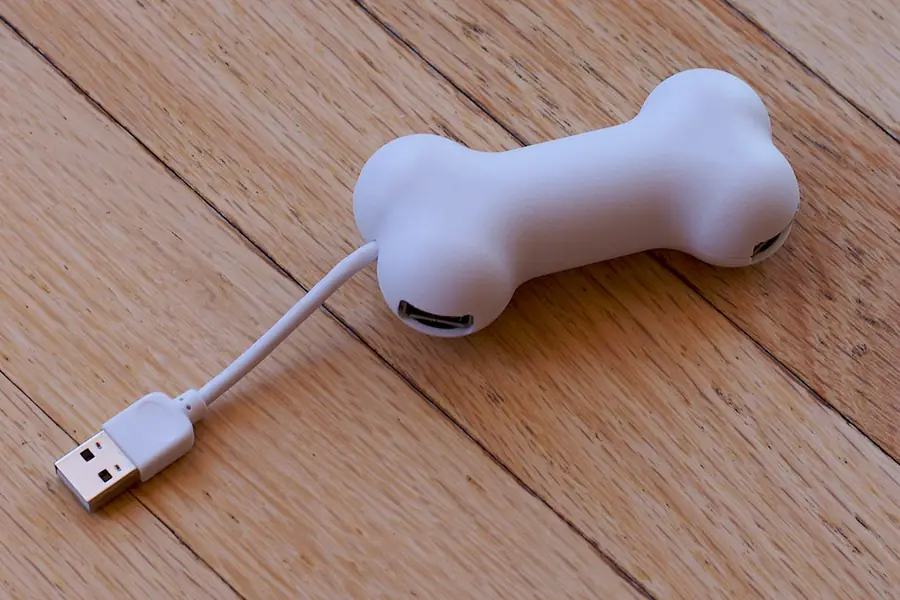
A computer has only a few USB ports and suddenly you need more than you have. That is exactly what a USB hub is for. It is a simple and cheap aid, but it pays to know which one to choose. Let us explain.
What a USB hub is
A USB hub is a device that turns one USB port into several. You plug it into the computer and gain several more ports for a mouse, keyboard, flash drive, disk or charging. It works like a splitter, just for USB.
What it is used for
- Expanding the number of ports when a computer or laptop lacks them.
- Connecting several devices at once (mouse, keyboard, printer, flash drive).
- Convenience with a laptop, which often has only one or two ports.
- Cable organization in one place on the desk.
With laptops, instead of a simple hub a docking station is often useful, which besides USB also adds a monitor, network and power.
Powered versus unpowered hub
This is the most important difference when choosing:
- An unpowered hub draws energy from the computer. It is small and portable, suitable for a mouse, keyboard and flash drives. For more demanding devices, however, the energy may not be enough.
- A powered hub has its own adapter into the socket. It supplies enough energy even for external drives, charging and several devices at once. If you want to connect external drives, choose a powered one.
If a drive disconnects through the hub or does not register, the cause is almost always a lack of power from an unpowered hub.
USB versions and speed
The hub’s speed is determined by the USB version. The fastest drive through a slow hub will slow down, so watch which version both the hub and the port support. The differences are explained in the article on USB versions and connectors.
Also note that all devices on one hub share the throughput of one computer port. With several fast transfers at once, this can show.
USB-C hubs and adapters
Modern laptops often have only USB-C ports. A USB-C hub adds classic USB ports to them, sometimes also HDMI, a card reader or network. It is a practical solution for thin laptops without many ports.
What to watch for
- For drives and charging, choose a powered hub.
- Check the USB version for speed.
- Do not chain too many hubs in a row, reliability drops.
- When charging a phone through a hub, check that the hub supplies enough power.
Conclusion
A USB hub is a cheap and practical solution to a lack of ports. For a mouse and keyboard a simple unpowered one is enough, for drives and charging choose a powered one and watch the USB version for speed.
Short of USB ports?
We will help you pick the right hub or docking station and connect all your devices. For homes and businesses in the Liptov region.
Get advice on your setupThis article is part of our Hardware and components overview.
Frequently asked questions
What is a USB hub?
What is the difference between a powered and unpowered USB hub?
Can a USB hub slow down connected devices?
How many devices can be connected to one USB hub?
Is a USB-C hub the same as a classic USB hub?
Why does an external drive disconnect or not register through a hub?
Need help with IT?
We will take care of your computers, networks and security - for businesses and households in the Liptov region.
Contact us