
Dual boot: Windows and Linux on one computer
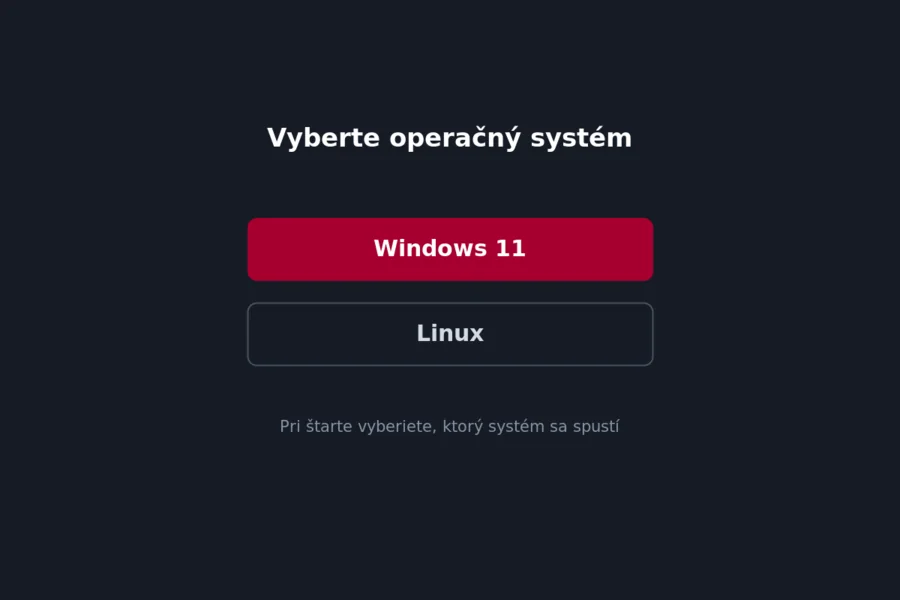
Do you want to have both Windows and Linux on one computer and choose at startup which to run? Dual boot makes it possible. It is a practical solution, but it also has risks worth knowing in advance. Let us explain how it works and what to watch out for.
What dual boot is
Dual boot means two operating systems on one computer. At each startup a menu appears from which you choose whether to run Windows or Linux. Both systems are full-fledged and use the whole power of the computer.
When it makes sense
- You want to try Linux but keep Windows too.
- You need both systems, for example for development or specific programs.
- You want to separate work and gaming or keep Windows only for certain applications.
If you only want to try it out, consider a virtual machine or running from USB instead.
How it works
The disk is divided into partitions and each system gets its own. At startup, a so-called bootloader (most often GRUB) runs and offers you the choice of system. The systems do not mix, they just share one disk.
Risks and what to watch out for
This is the most important part:
- Back everything up before starting. Partitioning the disk can delete data if something goes wrong, as we write in the article on backing up.
- Follow the installation order. Windows first, then Linux, which sets up the bootloader correctly.
- Windows updates can occasionally overwrite the bootloader and Linux “disappears”. It can be fixed, but you need to know about it.
- Less free space, because you split the disk between two systems.
- For a complete beginner, dual boot is more complicated than a single system.
Dual boot versus a virtual machine
If you want the second system only occasionally and safely, a virtual machine is often the simpler choice. It runs in a window, you do not risk partitioning the disk and you can delete it any time. The price is lower performance. Dual boot gives full performance, but is more complicated and riskier. So for ordinary trying out, a virtual machine or running Linux from USB is often enough.
How to do it in brief
Back up data, shrink the Windows partition, install Linux into the freed space and let GRUB set up the system choice. If you do not feel up to it, rather leave it to a professional.
Want dual boot but do not know how, or are worried about data? Get in touch, we will set it up safely for you. The article revive an old computer with Linux also helps.
We set up dual boot and Linux safely
We handle the backup, disk partitioning and installation for you, without risking your data. For homes and businesses across Liptov.
Set up dual bootThis article is part of our Software and system overview.
Frequently asked questions
Is dual boot safe, or will it wipe out my Windows?
Why did Linux disappear from the boot menu after a Windows update?
Is dual boot better than a virtual machine?
In what order should I install Windows and Linux?
How much disk space does dual boot take up?
Can I try Linux without risky disk partitioning?
Need help with IT?
We will take care of your computers, networks and security - for businesses and households in the Liptov region.
Contact us