
External portable SSD: how to choose one and what to watch for
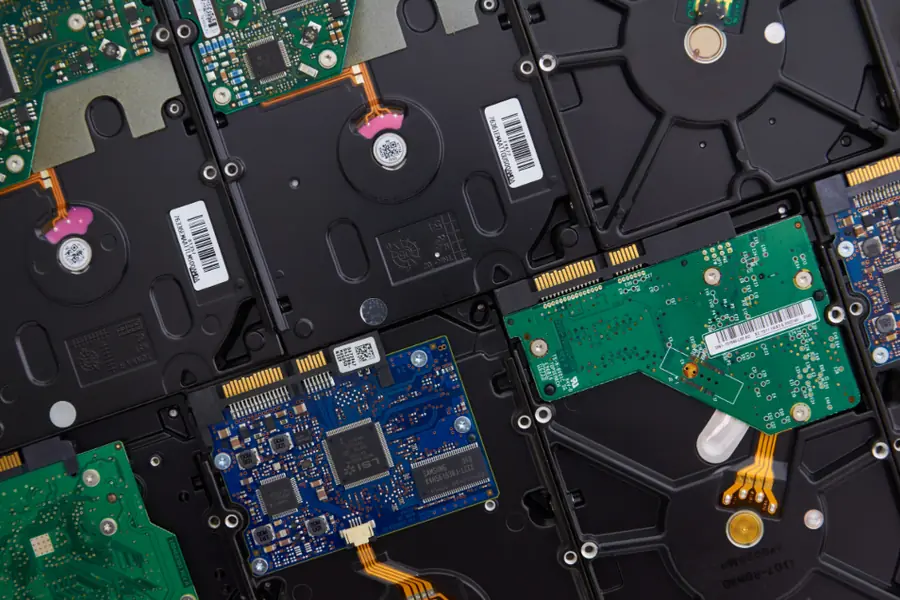
An external portable SSD is the ideal companion today for carrying data, backups and expanding a laptop’s capacity. It is fast, small and durable. When choosing, however, it pays to know what to look at. Here is an overview.
Why an SSD instead of a classic drive
A classic external drive (HDD) has spinning platters inside, is slower and more fragile. An external SSD has no moving parts, so it is significantly faster, quiet, lighter and more resistant to shocks. For carrying around in a bag this is a big difference. More on the advantages of SSDs in the article on whether it is worth switching to an SSD.
What to look at when choosing
Capacity
Choose based on what you will carry. For documents a smaller capacity is enough, for video and backups go for a larger one. The article on how much disk capacity I need helps.
Speed and type
- Ordinary external SSDs (SATA) are fast enough for most people.
- NVMe external SSDs are significantly faster, suitable for working with large files and video. They only show their full potential over a fast port.
Connector and port
Watch the connector (most often USB-C) and the USB version, because it determines the real speed. The fastest drive over a slow port will slow down. The differences are explained in the article on USB versions and connectors. Also check the port on your computer.
Rough interface speeds (theoretical maximum):
- USB 3.2 Gen 1 (5 Gbit/s) handles up to about 500 MB/s, enough for a SATA drive.
- USB 3.2 Gen 2 (10 Gbit/s) around 1,000 MB/s, makes full use of cheaper NVMe drives.
- USB 3.2 Gen 2x2 (20 Gbit/s) and USB4 / Thunderbolt (40 Gbit/s) allow 2,000 MB/s and more, but only with a matching port on both ends.
In practice the transfer speed tends to be slightly lower than the theoretical maximum. Even so it is a huge leap over a platter drive (usually 100 to 160 MB/s).
Durability and build
If you carry the drive often, a more rugged rubber body pays off, possibly resistance to dust and water. Water and dust resistance is marked with an IP code (for example IP55), and some models also declare resistance to a drop from a certain height. Compactness also matters for carrying.
Beware of suspiciously cheap units
Fake SSDs with a fraudulently declared capacity show up on marketplaces. The drive reports, say, 2 TB, but really has a fraction of it, and once filled the data is lost or overwritten. The rules are simple:
- Do not trust an extremely low price for a large capacity; quality SSDs cost what they cost.
- Buy from proven brands and from trustworthy sellers.
- Test the real capacity after purchase by writing data across the whole drive and checking it reads back correctly.
Hardware encryption
Some drives have hardware encryption built in; you unlock them with a password or a code on the drive’s keypad. It is more convenient than a software solution and protects the data even if the drive is lost.
Data safety on the go
A portable drive is easily lost, so think about protection:
- Encrypt the content so a finder cannot reach the data. More in the article on disk encryption.
- Do not keep the only copy of important data on it. A portable SSD is a great supplement, but keep a backup elsewhere too, see how to back up correctly.
External SSD versus internal drive
If you are expanding the computer itself, you are dealing with choosing an internal drive. An external SSD, by contrast, is about mobility and transfer between devices.
Choosing an external drive or dealing with reliable backups? Get in touch, we will advise based on what and where you transfer.
We help you choose a drive and set up backups
We help you pick the right external SSD and set up reliable data backups. For homes and businesses across Liptov.
Get in touchThis article is part of our Hardware and components overview.
Frequently asked questions
What is the difference between an external SSD and a classic external drive?
What capacity should I choose for an external SSD?
Which connector and USB version are best for an external SSD?
How can you spot a fake SSD with a fraudulently stated capacity?
Does encrypting an external SSD make sense?
Can an external SSD be the only backup of your data?
Need help with IT?
We will take care of your computers, networks and security - for businesses and households in the Liptov region.
Contact us