
A custom gaming PC: how to build a PC for gaming
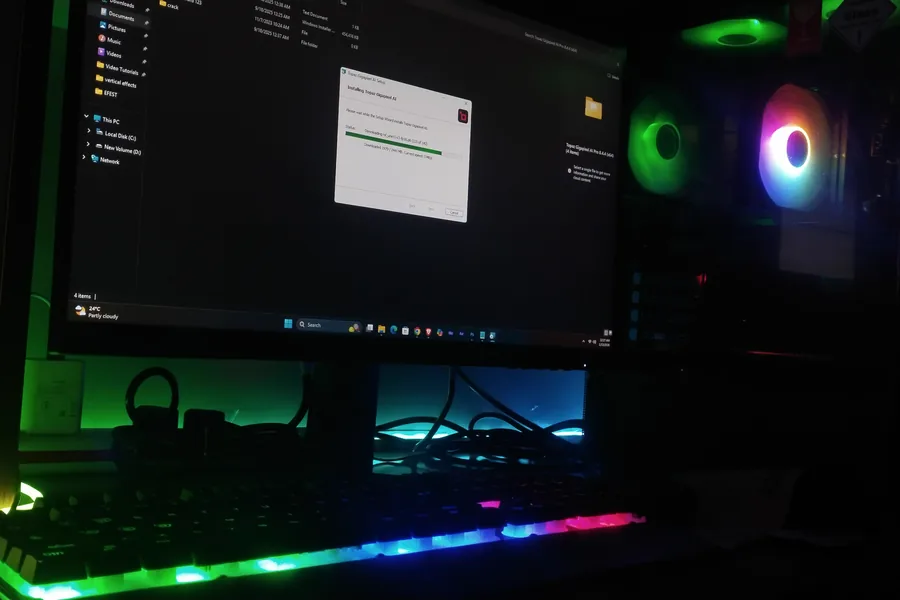
A gaming PC is not about buying “the most expensive thing”. It is about putting together a balanced build that handles the games you actually play, at your monitor’s resolution, without paying for performance you will never see. Let us go through what matters in a gaming PC and how to build it sensibly.
The graphics card is the heart of a gaming PC
In games, the graphics card matters most. It renders the image and determines how many frames per second (FPS) and at what quality you get. In a gaming build, the largest part of the budget goes to it. The key is to choose it according to your monitor’s resolution, not blindly the most expensive one.
The processor: so it does not hold the graphics back
The processor in games does not have to be the most expensive, but it must keep up with the graphics card. If it is too weak, you get a so-called bottleneck: the graphics card could do more, but the processor cannot feed it data fast enough and FPS drops. The goal is a sensible balance, so neither part needlessly holds the other back.
RAM: 16 GB is the minimum today
For gaming, 16 GB of memory is a sensible minimum today, 32 GB is a comfortable reserve if you also stream while gaming or keep other apps open. The memory speed also matters, especially with AMD processors.
A fast drive: games load in seconds
A gaming PC belongs on an NVMe SSD drive. Games launch noticeably faster from it and level loading times shrink. A typical build has a fast SSD for the system and games, optionally supplemented by a larger drive for the rest of the data.
Power supply and cooling: do not underestimate them
Two parts you should not skimp on in a gaming PC:
- The power supply must have enough power for the graphics card and be of good quality. A cheap PSU can cause crashes under load in a game or damage components.
- Cooling keeps temperatures in check. An overheated processor or graphics card slows down automatically (throttling), so you lose FPS even with powerful parts.
The case and airflow
The case is not just a shell. In a gaming PC that heats up, airflow matters: enough fans and space so the warm air leaves. Nice RGB is a bonus, but it is more important that the build runs cool and quiet.
How much you need: by resolution and monitor
The most sensible approach is to build the system according to the resolution and refresh rate of your monitor:
- 1080p (Full HD): the best price-to-performance, ideal for high FPS in competitive games. A mid-range graphics card is enough.
- 1440p (QHD): the golden middle ground, a sharper image and still high FPS. It needs a more powerful graphics card.
- 4K: the highest image quality, but it requires a top graphics card and makes more sense on larger screens.
There is no point buying an expensive 4K graphics card for a Full HD 60 Hz monitor. More on what decides smoothness is in the article Smooth gaming.
A balanced build beats one expensive part
The most common mistake is putting almost the entire budget into one part and skimping on the rest. The result is a build that holds itself back. It is better to balance everything, so the graphics, processor, memory and cooling work well together.
Prebuilt or custom?
Prebuilt gaming PCs from a shop are convenient, but they often save on exactly the inconspicuous parts (power supply, cooling, case) that decide stability and noise. A custom build gives you exactly what you need, without overpaying. How we do it is in the article on custom PC building. And if you are considering a gaming laptop, read first why a desktop is better for gaming.
Want a gaming PC that fits your games and your budget? Get in touch, we will advise and put together a balanced build for you. We work with all component brands, from Intel and AMD to NVIDIA, ASUS and MSI.
Want a balanced build with no compromises?
We will build you a gaming PC tailored exactly to your games, monitor and budget. For households and businesses in Liptov alike.
Build my gaming PCThis article is part of our Gaming overview.
Frequently asked questions
How much money should go into the graphics card in a gaming PC?
Is 16 GB of RAM enough for gaming?
Why does a gaming PC need an SSD instead of a classic drive?
Why is it not worth skimping on the power supply and cooling?
What graphics card do I need for 1440p?
Is it better to buy a prebuilt gaming PC or a custom build?
Need help with IT?
We will take care of your computers, networks and security - for businesses and households in the Liptov region.
Contact us