
MikroTik Releases an Important Security Update: RouterOS 7.24.2
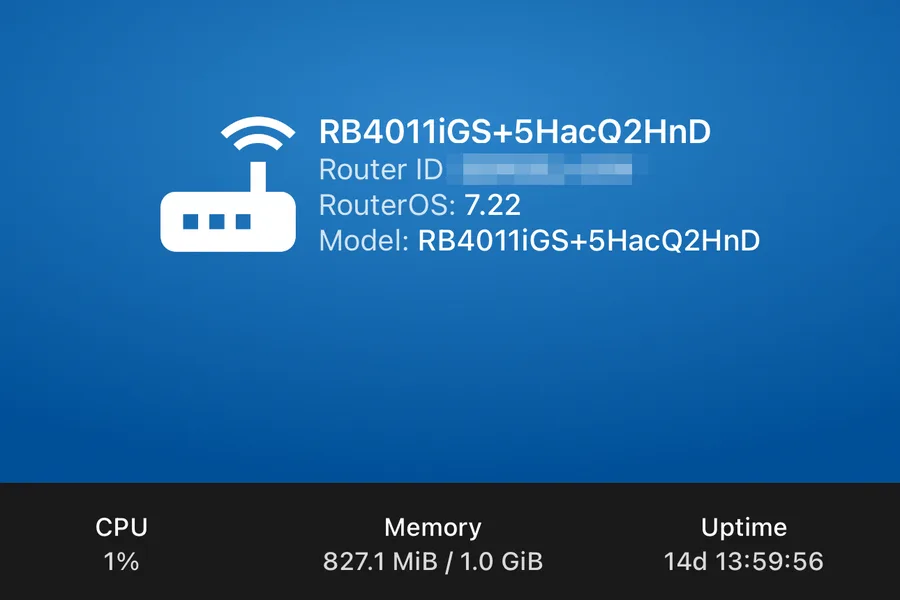
Screenshot: MikroTik app (TIPTECH)
On 3 September 2026 MikroTik released RouterOS 7.24.2 and labelled it an important security update. Version 7.23.4 for the conservative long-term branch was published at the same time. If you have notifications enabled, the warning already shows up right in the MikroTik app:

In this article we explain what is known about the update, who it really affects and how to install it safely. We are writing it on the day of release, so some details may still emerge.
What exactly MikroTik announced
The official announcement is short: “This is an important security update. Most configurations are not at risk, but upgrading is highly recommended.”
What is striking is what the announcement does not contain: a CVE number, a severity rating, or any hint of which service is affected. That is not sloppiness but standard responsible disclosure. If the vendor described where the flaw is right away, attackers could exploit it before hundreds of thousands of routers around the world manage to download the fix. MikroTik usually publishes the details a few weeks later.
For an administrator, the conclusion is simple: precisely because nobody knows what is wrong, you should upgrade now. The moment a fix is released, a race begins. Attackers can compare the old and the new version of the system and work out from the differences where the flaw was. Anyone who postpones the upgrade stays vulnerable exactly when the flaw is best understood.
Who is most affected
The phrase “most configurations are not at risk” suggests the flaw probably concerns a specific service or setting, not every router. History shows where MikroTik users are on the thinnest ice: router management exposed to the internet.
In 2021 the Mēris botnet was built from tens of thousands of MikroTik routers that nobody had updated and that had Winbox or web management reachable from the internet. It was not even a new flaw; the fix had existed for three years. Routers nobody touched became part of one of the largest attack botnets in history.
So before the upgrade itself, check what your router exposes to the world:
| Check | Where | What it should look like |
|---|---|---|
| Open services | /ip service print | Winbox, SSH and www reachable only from the local network (the Available From field), unused services disabled. SSH exposed to the internet is the entry point of this very attack |
| Firewall | /ip firewall filter print | The input chain drops everything from the internet except established connections |
| Remote access | as needed | Remote management belongs behind a VPN, not an open port |
| Admin password | System - Users | Long and unique, see our article on strong passwords |
If you manage the router yourself and all of this is in place, you probably belong to the “majority not at risk”. Upgrade anyway.
How to upgrade safely
Upgrading RouterOS is a routine of a few minutes, but the order matters:
- Back up the configuration. In the terminal,
/export file=backup-2026-09-03(text export) plus/system backup save(binary backup). Download both files off the router. - Upgrade the system. In System → Packages click Check For Updates, then Download & Install. The router downloads the packages and reboots itself. A short internet outage is normal.
- Upgrade RouterBOOT. After the router comes back, run
/system routerboard upgradeand reboot once more. The bootloader does not upgrade itself and should be kept in step with the system. - Verify.
/system resource printshould show version 7.24.2 (or 7.23.4 on long-term) and the network should work as before.
In larger networks with multiple devices (for example CAPsMAN access points), upgrade the subordinate devices first and the main gateway last, outside business hours.
Running MikroTik and not keen to do this yourself?
We manage dozens of MikroTik routers. We will handle the upgrade for you and check whether your router exposes anything to the internet that should not be there.
I want a safe upgradeStable or long-term?
MikroTik maintains two branches of the system. Stable (now 7.24.2) receives new features and fixes continuously. Long-term (now 7.23.4) only gets proven fixes and changes slowly, which is why companies that value stability over novelties choose it. The important part: this security fix shipped for both branches at once. Whichever you run, an updated version exists and there is nothing to wait for.
The broader lesson
A router is not a box you plug in once and forget. It is a full computer with its own operating system, standing between the internet and everything you have at home or in the company. The same rule applies that we describe in why you should not postpone updates: an unpatched known flaw is an invitation for attackers, and the router is the first target because it is visible from the internet around the clock.
The good news: MikroTik handled the notifications in an exemplary way. The warning is visible directly in the app and in Winbox, the fix shipped for both branches at once, and the details were withheld until the world has time to upgrade. Now it is the administrators’ turn.
Conclusion
If you have a MikroTik router, check the system version today and upgrade to 7.24.2, or 7.23.4 on the long-term branch. Including the backup it takes a few minutes. And if you would rather not do it yourself, get in touch; we are happy to handle the upgrade and a security check of your router. You can read more about these routers in what is MikroTik and about the basics in how to secure your router.
This article is part of our Cybersecurity overview.
Comments and questions 0
We keep the discussion to the point. Ads, links to other services, profanity and personal attacks will not be published. Neither will posts containing other people's personal data.
Frequently asked questions
What is RouterOS 7.24.2?
Which vulnerability does RouterOS 7.24.2 fix?
How do I check which RouterOS version I run?
How do I upgrade a MikroTik safely?
I run the long-term branch. Am I affected?
How do I find out whether my router has already been compromised?
Someone else set up my router and I cannot log in. What now?
Need help with IT?
We will take care of your computers, networks and security - for businesses and households in the Liptov region.
Contact us