
Not every technician is the same: why your network breaks after new internet
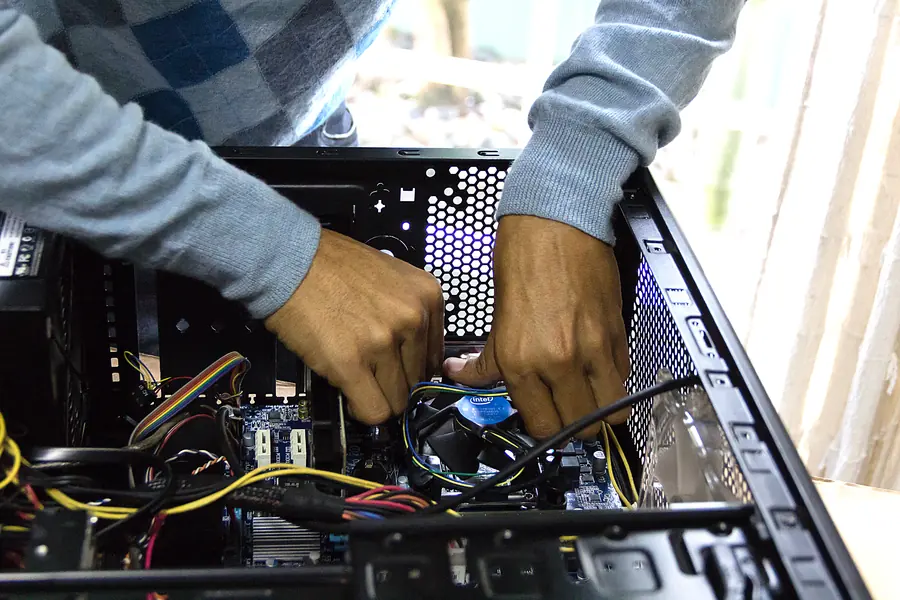
Got new internet installed or your operator swapped the router, and suddenly some devices at home stopped working? The printer does not respond, cameras are unavailable, the NAS vanished from the network, smart devices will not connect. You are not alone in this. It is a common situation we encounter every day. Let us explain why it happens and why it is not always the technician’s fault.
Where the problem actually is
One thing needs to be realized: the job of the operator and its technician is to bring the internet to your home. That is exactly what they are responsible for and what is in the contract. Your local network, that is the devices you have interconnected at home, is usually not part of this task.
So the technician runs the cable or fiber, connects the router, verifies that the internet works, and with that their job ends. Whether your printer, cameras or home server then work is no longer the subject of their visit.
This is not criticism of technicians
Right at the start we want to be fair. We do not want to insult any of the technicians. They do their job, deliver the internet, and often do it well and quickly. The problem lies elsewhere:
- Only a very narrow share of technicians can set up a more complex router. It is not their job and it is not expected of them.
- Many rely on the automatic configuration of the operator’s preconfigured router. It is set up universally, so the internet works, not to fit your specific network.
- Some simply run the internet to the router and that is where it ends for them, which is completely fine in terms of their assignment.
In other words, the technician fulfilled their task one hundred percent. That task just did not include your home network.
Why devices stop working
When a router is replaced or the connection changes, the basic network settings often change too. And that is exactly what decides whether your devices find each other. The most common causes:
- A different IP address range. The new router hands out addresses from a different range, so devices with a fixed address suddenly do not fit. This relates to the basics of networking.
- A change of gateway address. Devices look for the gateway at the old address, which no longer exists.
- Disabled or differently set port forwarding. Remote access to cameras or a server stops working, more in the article on port forwarding.
- A different WiFi name or password. Smart devices will not connect, because they know the old network.
- Merged bands or a different WiFi standard that older devices do not get along with.
- Missing fixed addresses (reservations) for the printer, NAS and cameras.
None of these things is a fault. It is just a network that was not adapted to your home.
What we can do about it
And this is exactly where we come in. Unlike the installation technician, your local network is directly our concern. We proceed as follows:
- We analyze the network in detail. We find out what devices you have, how they were set up and what broke after the change.
- We adapt the router configuration to your specific home, not a universal template.
- We set fixed addresses (reservations) for the printer, NAS, cameras and other devices, so they no longer get lost.
- We restore forwarding and remote access, or propose a safer route via VPN.
- We fine-tune WiFi, network names, bands and coverage, more in the article on how to place WiFi correctly.
- We separate networks where it makes sense, for example cameras and smart devices, following the principle of network separation.
- We test that everything works as before the change, ideally better.
The result is a network that is set up to measure and in which devices understand each other again.
Your own router versus the operator’s router
A common question is whether to stay with the operator’s router or get your own. Both paths make sense and it depends on your needs. The topic is covered in a separate article on the operator’s router versus your own. We will advise what is more sensible in your case and set it up either way.
Conclusion
If your devices stopped working after new internet was connected or the router was swapped, it is not an unfortunate accident nor necessarily the technician’s mistake. Their job was to bring the internet, and they did. Your home network, however, is a separate discipline that requires analysis and a tailored setup. And that is exactly what we do.
Did your devices at home stop working after new internet or a router swap? Get in touch, we will analyze the network, adapt the router and get everything running as it should.
We will tailor your network after new internet
We analyze your home network, adapt the router and restore your printer, cameras and NAS. For homes and businesses in Liptov.
Get in touchThis article is part of our Computer networks overview.
Comments and questions 0
We keep the discussion to the point. Ads, links to other services, profanity and personal attacks will not be published. Neither will posts containing other people's personal data.
Frequently asked questions
Why did my devices at home stop working after new internet was installed?
Is it the operator's technician's fault that my devices stopped working?
What exactly tends to change when a router is replaced?
How do I get my printer, cameras or NAS working again after a router swap?
Should I keep the operator's router or buy my own?
Can a network problem be fixed without another visit from the operator's technician?
Need help with IT?
We will take care of your computers, networks and security - for businesses and households in the Liptov region.
Contact us