
PC sizes: SFF, Mini PC, NUC and which to choose when
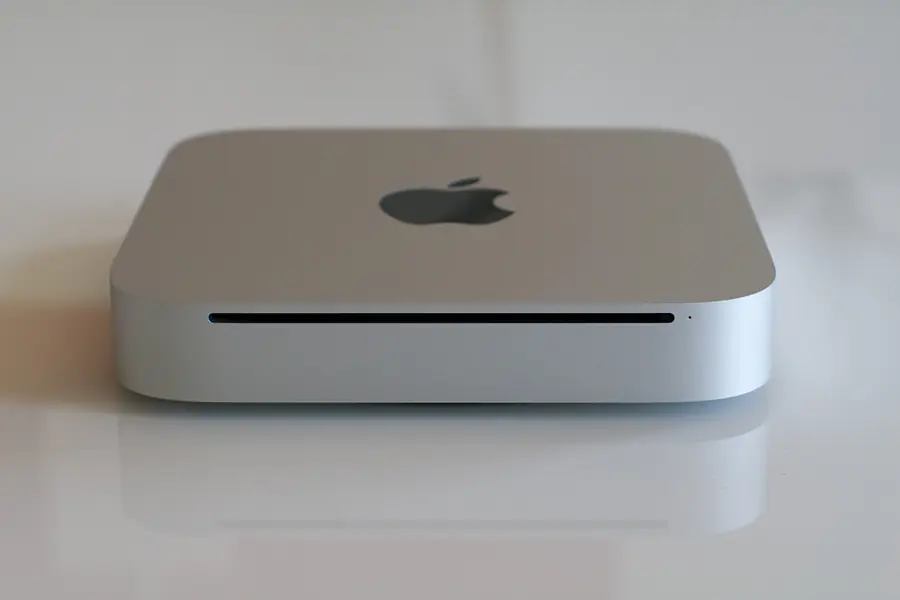
A computer has long been more than just a big case under the desk. Today you can choose from sizes ranging from a full tower to a computer that fits in your palm. Each size has its pros and compromises. Let us go through them and advise which is worth it when.
Why size matters
A computer’s size (form factor) affects three things: how much performance fits in it, how it can be expanded and how much space it takes. Generally, a larger case means more performance and options, a smaller one saves space and runs quieter and more energy-efficiently.
Classic tower (for comparison)
An ordinary desktop computer in a large or mid-size case. It is the reference we compare the others against.
- Pros: the most performance, full expandability (graphics card, more disks, cooling), easy repairs and upgrades.
- Cons: takes the most space and tends to be the loudest.
- For whom: gaming, demanding work, servers, a custom-built computer.
SFF (Small Form Factor)
SFF is a shrunken desktop computer, significantly smaller than a tower, yet still with reasonable expandability. Popular in offices.
- Pros: space saving over a tower, decent performance, often fits behind a monitor or under the desk.
- Cons: limited expandability (less room for graphics and disks), tighter cooling.
- For whom: offices, receptions, ordinary work where a powerful graphics card is not needed.
Mini PC and Tiny PC
A Mini PC (also Tiny or Micro at various manufacturers) is a very small computer, often the size of a thick book. It is built on more economical components.
- Pros: minimal space, quiet and economical operation, can be hidden behind a monitor.
- Cons: performance is enough for ordinary tasks, not for demanding gaming or video editing, expandability is minimal.
- For whom: office, internet and email, point of sale, digital signage, undemanding operations.
NUC
A NUC (Next Unit of Computing) is the smallest category, a computer roughly the size of a palm (about 10 x 10 cm). It was originally introduced by Intel and today the term denotes the whole class of such miniature computers.
- Pros: extremely small, quiet and economical, can be attached directly behind a monitor.
- Cons: performance at the level of undemanding tasks, almost no expandability, cooling is limited.
- For whom: information panels, thin clients, low-load home servers, where size and quietness matter.
Mini-ITX, small but powerful
A separate mention belongs to Mini-ITX builds. It is a small motherboard format, but in the right case you can fit even a powerful graphics card into it. It is a path to a small yet powerful computer, for example a compact gaming PC. But you pay extra for high performance in a small size, and cooling must be designed thoughtfully.
Comparison in a nutshell
| Size | Performance | Expandability | Space | For whom |
|---|---|---|---|---|
| Tower | highest | full | most | gaming, demanding work, servers |
| SFF | good | partial | medium | office, ordinary work |
| Mini / Tiny PC | ordinary tasks | minimal | little | office, POS, signage |
| NUC | undemanding tasks | almost none | least | panels, thin clients |
| Mini-ITX | high | limited | little | small powerful computer |
How to choose: a few questions
- What will the computer be for? Ordinary work and internet are handled even by a Mini PC. Gaming and demanding work need a tower or Mini-ITX.
- Will you want to upgrade? If so, choose a tower or SFF. Mini PCs and NUCs are hard to expand.
- How much space do you have and does quietness matter? The smaller, the quieter and more economical, but with a lower performance ceiling.
- How many units? When equipping a whole office, price, space and consumption play a role, where small computers excel.
Conclusion
There is no single best size, there is a suitable size for a given use. For gaming and performance a tower or Mini-ITX, for the office SFF or a Mini PC, for panels and quiet operation a NUC. The important thing is to choose by the performance you really need and by whether you will want to expand.
Choosing computers for your company or home?
We will advise the right size and specification and deliver tailored builds including installation and setup. For homes and businesses in the Liptov region.
Get adviceThis article is part of our Hardware and components overview.
Frequently asked questions
What is an SFF computer?
What is the difference between a Mini PC and a NUC?
Is a Mini PC enough for ordinary office work?
Which computer is best for gaming?
Can a small computer be expanded later?
Why do offices buy small computers?
Need help with IT?
We will take care of your computers, networks and security - for businesses and households in the Liptov region.
Contact us