
Computer networks: a complete guide from basics to business networks
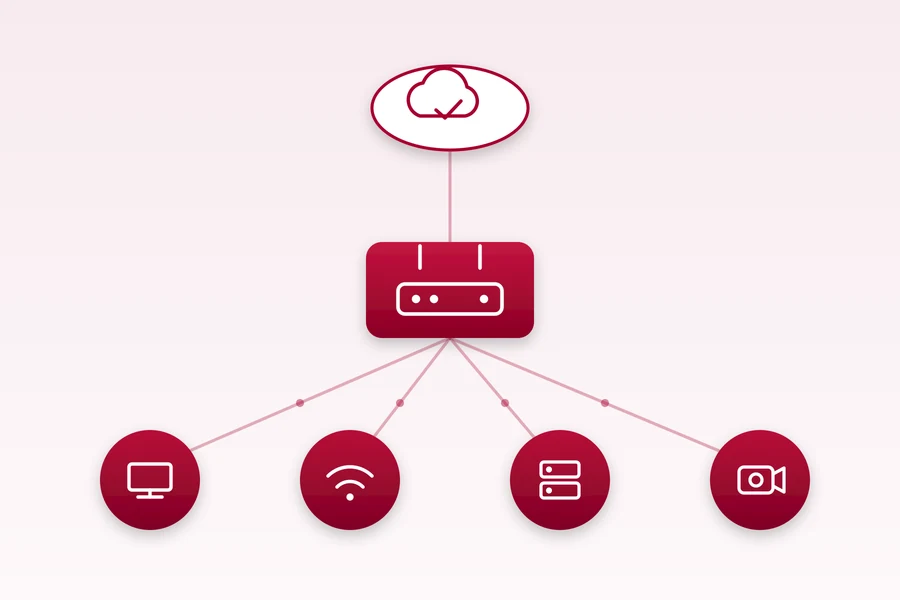
A network is what a company and a household really run on these days. When it works, nobody notices it. When it goes down, everything stops: the till, the cameras, the printer and the internet. Over the years we have built and fixed hundreds of networks, and most problems come down to the same handful of things.
This is a hub page. It pulls together our articles on networks, from the very basics to business setups, so you can get your bearings and click straight to whatever you are dealing with. You do not have to read all of it, just pick a topic.
The basics: what a network is made of
If you are starting from scratch, it pays to grasp a few terms. The most common mix-up is what a router, switch and hub each do, and how a router differs from a WiFi router. Once you have that, the rest makes sense much faster.
- Network basics: IP address, mask, gateway and broadcast
- What an IP address is and how to find yours
- What is a subnet and CIDR (simply explained)
- What DNS is: the phone book of the internet
- What Is a PTR Record and Why Your Email Ends Up in Spam Without One?
- Devices disappearing from your network? A misconfigured DHCP server may be to blame
- An IP address conflict or a network loop: two mistakes that cut you off from the internet
- IPv4 vs IPv6: what the difference is
- What is a LAN (local area network) and how it differs from WAN
- What is NAT (network address translation)
- What is a port in a computer network
- What is TTL and where you will come across it
- Changing and cloning a MAC address in routers: how and why
- Sharing a printer on the network: printing from several computers
- Wake-on-LAN: how to turn on a computer or server remotely
The internet: connection and speed
This is where most misunderstandings start. People pay for a higher plan and it still stutters, because the problem is not the speed but somewhere else. Start with what megabits actually mean and how many you really need and why download and upload are different. How many Mbps your particular household needs is answered by how much internet speed do you actually need and our internet speed calculator.
- Fibre (FTTH): why fibre is the future
- GPON, EPON and XGS-PON: how passive optical networks work
- Why DSL and VDSL have slow upload
- Which internet provider to choose in Liptov
- Internet in Liptov: fibre, 5G and what actually works where
- Provider router vs your own: worth swapping?
- Internet to a remote area: LTE, Starlink and fixed wireless
- Backup connection (failover): when the internet drops
- How to test your internet ping and latency
- What a CDN is and how it speeds up websites worldwide
- Antik television over the internet: on better terms with us
- What an eSIM is and what advantages it has
- IPTV versus satellite, cable and antenna: comparing TV reception
WiFi: so it works everywhere, not just next to the router
Wireless is where most complaints come from. The good news is that most of them can be solved without buying a pricier box. First read why a stronger router does not exist and where to place WiFi and why a WiFi repeater belongs in the bin.
- How to improve home Wi-Fi: what works and what is a myth
- Congested WiFi and channels 1, 6, 11
- Mesh Wi-Fi: signal across the whole house
- WiFi b, g, n: which standard to stop using
- Wifi 6 and Wifi 7: when to upgrade
- Weak mobile signal? Call over WiFi (VoWiFi)
- What WPS is and why you should turn it off on your router
- Smart home: how to start and what to watch out for
- How to link two buildings wirelessly with directional antennas
- What Home Assistant is and what it can do
- Wireless casting to a TV: how to send the picture without a cable
- What IoT (the internet of things) is: how it works and where it is used
- What a captive portal is and where it is used
Cables, switches and hardware
When you are building or renovating, the decisions here will stay with you for years. The first question is always when to run a cable and when Wi-Fi is enough. If you do run cable, you need to know which Cat type to use.
- Managed vs unmanaged switch: which to pick
- PoE: one cable for a camera and a WiFi point
- 2.5G and 10G ethernet: when a faster network makes sense
- How many switch ports and sockets in a new build
- Where to place the network cabinet
- Powerline (PLC) adapters: internet over the electrical wiring
- Serial line: RS-232, RS-422 and RS-485 and where they are used
- PoE versions, watts and standards: active, passive and their limits
- Jumbo frames and MTU: when they speed up a network and when they hurt
- A computer with two network cards: how to use both at once
- What network bonding is: joining links, methods and names
- Fiber cables and types of optics: single mode, multimode, WDM and GPON
Business network and security
In a company it is no longer just about the internet working. It is about a customer on the guest WiFi not seeing into your accounting, and about important traffic not getting choked. The foundation is separating networks with VLAN, followed by trunk and access ports.
- What a VPN is and what it really does
- What WireGuard is: a modern VPN (and Tailscale or ZeroTier)
- MikroTik: why professionals love it (and beginners fear it)
- Ubiquiti: an enterprise-grade network without an IT army
- MikroTik versus Ubiquiti: which to choose
- Cisco, Meraki and the rest: who is who among network brands
- Ubiquiti UniFi: an ecosystem for a modern business network
- MikroTik CAPsMAN: central management of WiFi points
- QoS: prioritising traffic for calls and gaming
- Port forwarding
- Monitoring tools: Zabbix, Nagios and others
- What is Wireshark and why (and how) to use it
- Pi-hole: block ads and trackers across your whole network
- What a proxy and a reverse proxy are and what they are for
- What uptime is and why it matters (with a downtime calculator)
- Your website stopped working? Why independent availability monitoring is essential
- iLO, iDRAC, IPMI and co.: remote server management (out-of-band)
- Edge computing from A to Z: a simple explanation for laymen
- Not every technician is the same: why your network breaks after new internet
- DNS over HTTPS: safer and more private DNS
When to leave it to us
A lot of the above you can handle yourself, which is exactly why we wrote it. But there is a line beyond which doing it yourself stops paying off: when the whole network needs designing, cabling needs running, and VLANs and business WiFi need setting up so it works for years without you. That is when it is cheaper to call someone who does it every day.
For households we handle computer networks and Wi-Fi, for companies network management and monitoring. We are from Liptov, so we really do come to you when needed.
Not sure where to start, or want the network built properly from the off? Get in touch, we will go through your situation with no obligation and advise you.
Frequently asked questions
What does a home or business network consist of?
Why is a cable still better than wifi?
What slows down home wifi most often?
When should a business network be done professionally?
Will you design and build our network?
What is the difference between a router and a modem?
Need help with IT?
We will take care of your computers, networks and security - for businesses and households in the Liptov region.
Contact us