
Tax refund scam: how they find you through your domain and what the headers reveal
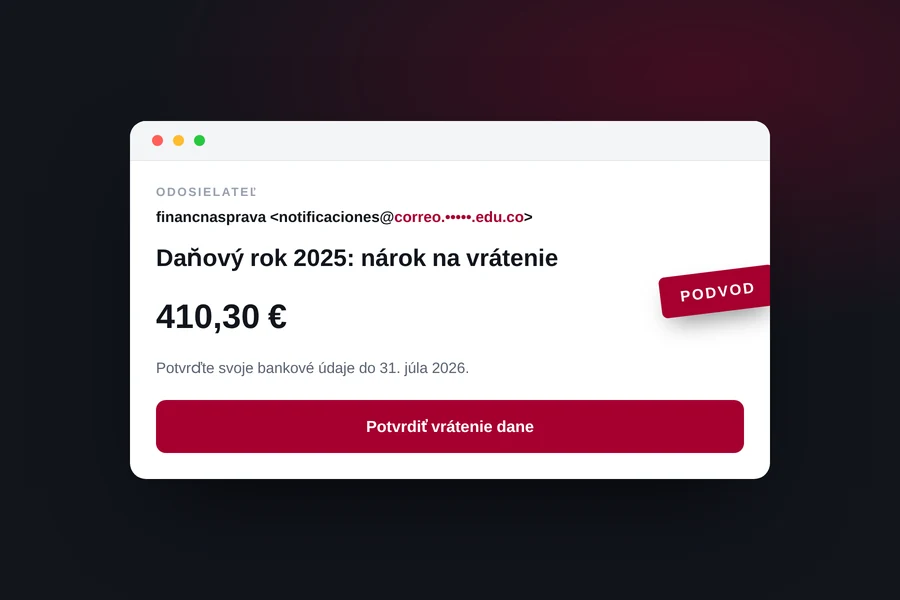
Illustration: TIPTECH
In early August, an e-mail landed in one of our mailboxes with the subject “Final notice: Tax year 2025, refund claim”. It posed as a notice from the tax authority, promised a refund of 410.30 euros and asked for one thing only: confirm your bank details through the button in the message. It passed the spam filter, it looked respectable and it was aimed at one specific person. We took it apart in detail, because it shows exactly how targeted phishing works today.
First they find the domain owner
The interesting part is not what the message said, but who received it. It did not go to a public address such as info@ listed on the website. It arrived at an address built from the domain owner’s surname, which is published nowhere on the site.
The attacker’s routine is boringly simple:
- A list of domains. Registries and various overview services publish which domains were created and when they expire. A new or freshly renewed domain says that somebody is behind it and using it.
- The owner’s name. Registration data is usually protected these days, but the name of the person or company can be found on the website itself, in the business register, in an invoice footer or on social media.
- Guessing the address. Common patterns are then tried:
name@,surname@,name.surname@. If the domain has catch-all enabled, meaning a mailbox that accepts anything before the at sign, the attacker hits the target every time.
The unpleasant part is that the message feels personal. It is not bulk spam sent to a thousand addresses, but an e-mail that looks as if somebody wrote it to you. And that is exactly why even a careful person falls for targeted phishing.
If you are curious what can be found about your domain, read also how domain expiry works and what to watch out for with e-mail on your own domain.
What the message contained
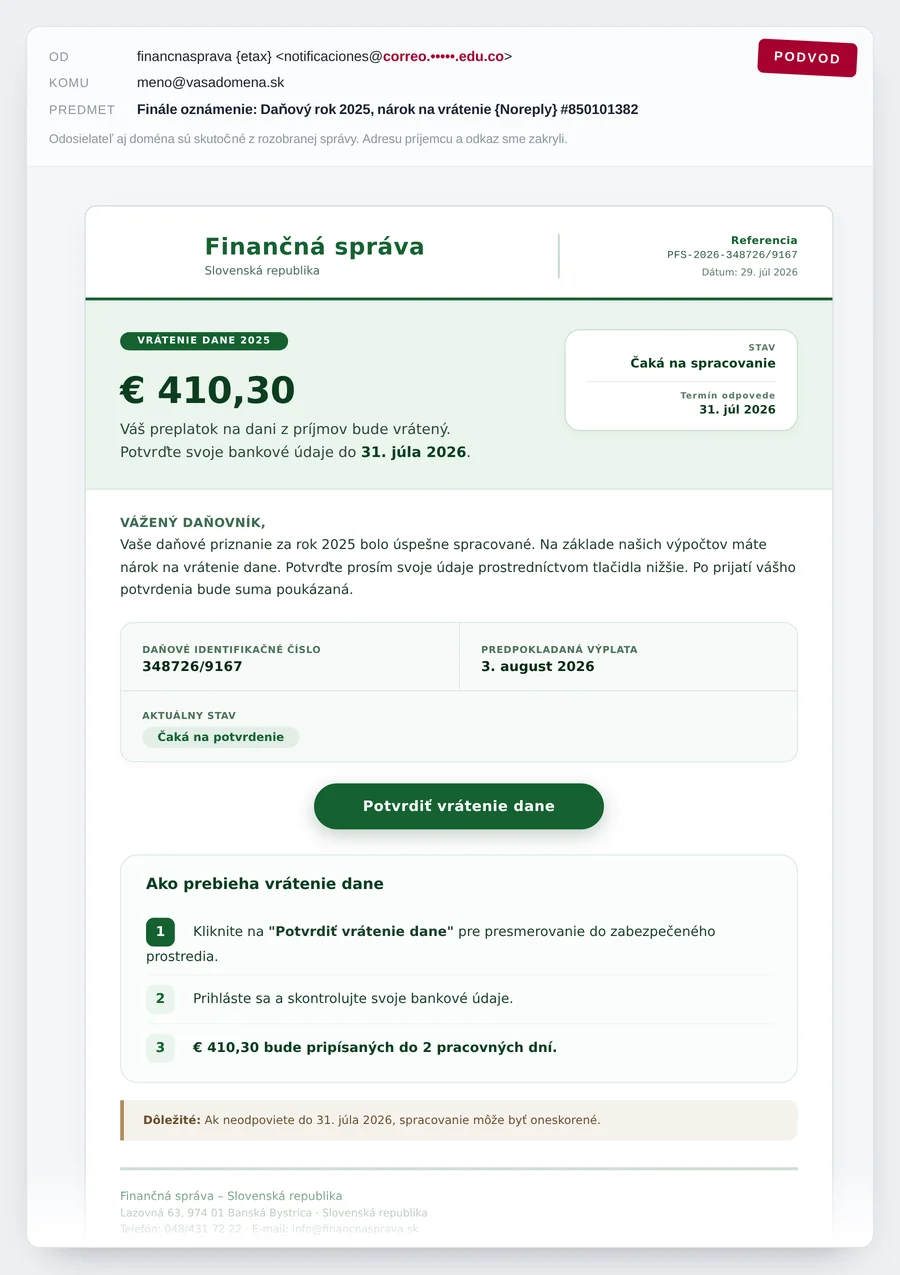
The text was written in decent language, without the typical spelling mistakes, and it posed as an official notice:
- a reference number and a tax identification number, so it would look properly filed,
- an amount of 410.30 euros as an overpayment for 2025,
- a status of “Awaiting confirmation” and an expected payout within two working days,
- a response deadline and a line saying that processing may be delayed otherwise,
- a footer with the real address and official contact details of the tax authority.
All of it rested on a single button, “Confirm tax refund”. Behind it was not the tax portal but an unrelated domain that has nothing to do with taxes, and the link contained the recipient’s e-mail address, pre-filled. The fake login could therefore display your address right away, which feels convincing, and the attacker learns that the mailbox is live.
Header analysis: why it passed the filters
Headers are the hidden part of a message that you can display in any e-mail client. That is usually where a scam shows most clearly. Here the finding was unambiguous:
| What we saw | What it means |
|---|---|
| Sender name shown as the tax authority | A display name can be set by anyone, it is not a verified value. |
| Real address on a South American university domain | The message did not come from any government domain, but from a hijacked third-party account. |
| Sent through the Amazon SES bulk mail service | The scammer used legitimate infrastructure to avoid being blocked by IP address. |
| SPF passed, DKIM signed | The checks apply to the domain the mail was really sent from, not to the tax authority. |
| Spam score of -3.74 | To the filter, the message looked like harmless mail. |
This is the key lesson of the whole case: a green SPF and DKIM stamp does not mean the sender is who they claim to be. Those checks only say that the server was allowed to send on behalf of its own domain. When an attacker abuses someone else’s account, the checks come back clean. So always look at the domain after the at sign in the real sender address.
The detailed procedure is in our article on how to verify a suspicious e-mail step by step.
Invisible characters that fool the filters
When we looked at the message source, we found 26 invisible characters inserted in the middle of words. It is the so-called zero-width space, which you cannot see but the filter can. A word in the source is therefore not one word, but a string broken up by an invisible character.
Why do attackers do it? Anti-spam rules look for specific words and phrases such as “tax refund” or the name of the authority. If a word is broken by an invisible character, a simple rule no longer matches it, while a human reads a perfectly normal sentence. It is a cheap trick that still works.
The small slip that gave the scam away
Scammers work at scale and they make mistakes. This message still carried unfilled template placeholders in the subject and in the sender name, something like {etax} and {Noreply}. A real institution never sends a message like that.
And an even better detail: the response deadline in the text was 31 July, while the message was sent on 1 August. The deadline they were scaring you with had already expired before the e-mail even arrived. Pressure is only a prop, so that you stop thinking.
How to spot the scam
- It promises money or threatens a fine and pushes a short deadline.
- It wants you to “confirm” bank details, a card number or a password through a link.
- The real sender address is on a different domain than the one the message claims.
- The link leads somewhere other than the text promises. Press and hold the link or hover over it to see the real target before clicking.
- Your e-mail address or a long identifier appears inside the link.
- The text contains template leftovers, nonsensical case numbers or dates that contradict each other.
- The greeting is generic, even though the authority knows your name.
If you are not sure, paste the message into our free phishing e-mail checker. It runs right in your browser, nothing is sent anywhere and it evaluates the signs for you.
What to do when such an e-mail arrives
- Do not click and do not reply. A reply confirms that the mailbox is live.
- Verify it another way. If there really were a tax overpayment, you would see it after logging in to the tax portal through your own bookmark, not through a link in the message.
- Report the message with the Report phishing button in your mailbox. It helps everyone else too.
- Tell your colleagues. The same wave usually hits several addresses in the same company.
- If you already clicked and entered details: change the password immediately, turn on two-factor authentication, review signed-in devices and forwarding rules in your mailbox, and call your bank about any payment details.
Did something suspicious arrive?
Send us the message including the headers and we will tell you whether it is a scam and what to do about it. If you already clicked, we will help secure your accounts and devices and teach your people to recognise these tricks. For businesses and households in the Liptov region.
Have my suspicious e-mail reviewedSummary
Targeted phishing today is not a typo in bulk spam. The attacker finds the domain owner, guesses the address, sends the message through a hijacked account on a trusted server and hides the wording behind invisible characters so it slips past the filters. The defence stays the same: never confirm bank details through a link in an e-mail, look at the domain after the at sign, and verify anything doubtful through another route. The scammer only needs you to click once without thinking. You only need to not click once.
This article is part of our Cybersecurity overview.
Comments and questions 0
We keep the discussion to the point. Ads, links to other services, profanity and personal attacks will not be published. Neither will posts containing other people's personal data.
Frequently asked questions
Does the tax office send e-mails about refunds?
How did the attacker get my address when it is nowhere on the website?
Why did the message pass the spam filter if it is a scam?
What does my e-mail address inside the link mean?
I clicked the link and entered my details. What now?
Should I report a scam e-mail?
Need help with IT?
We will take care of your computers, networks and security - for businesses and households in the Liptov region.
Contact us