
PoE versions, watts and standards: active, passive and their limits
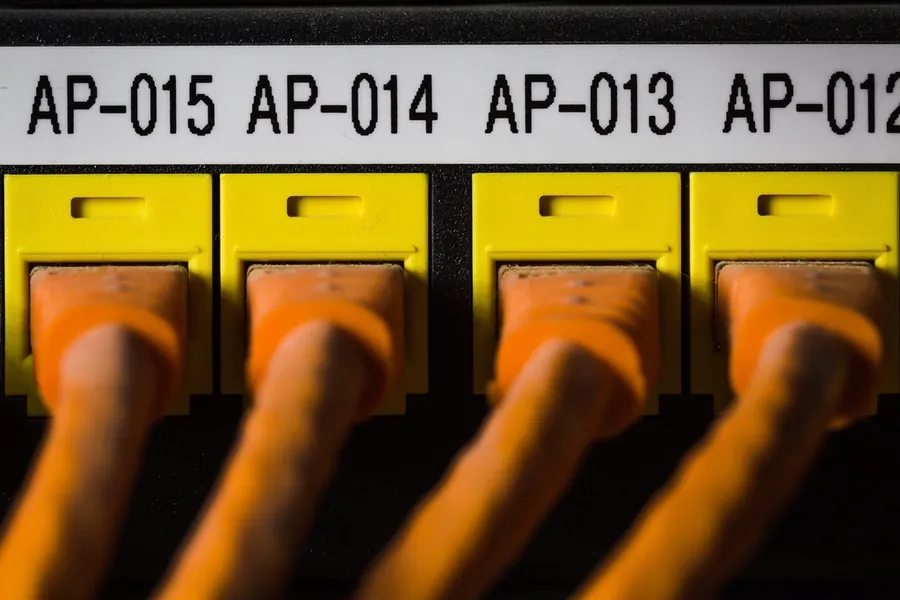
PoE carries data and power over a single network cable, so a camera or wifi access point needs no power socket. In practice, though, the versions, the power in watts and the very principle of powering differ. If you only want the basics, read the article PoE: one cable for a camera and a wifi point. Here we go in depth: standards, watts and the important difference between passive and active PoE.
Active versus passive PoE
This is the most important thing to grasp, because mixing them up can destroy a device.
- Active PoE negotiates with the device before switching on the power (so-called negotiation). The switch finds out whether the connected device supports PoE at all and how much power it needs, and only then sends power. It is standardized, works at a voltage around 48V and is safe, because it does not send power into an incompatible device.
- Passive PoE sends voltage down the cable hard, without any negotiation. It tends to be cheaper and is used by some older devices, often at a voltage of 24V, sometimes 48V. The risk is that if you plug the wrong device or the wrong voltage into passive PoE, you can burn it out. So with passive PoE, always follow the manufacturer’s exact voltage and polarity.
Simply put: active PoE is safe and smart, passive is cheap but needs great care.
Active PoE standards and their watts
Active PoE has several standards (versions) that differ in power:
- 802.3af (PoE) gives roughly 15 W at the port, with about 13 W reaching the device. Enough for an ordinary camera or a smaller wifi point.
- 802.3at (PoE+) gives approximately 30 W at the port, about 25 W at the device. For more powerful cameras with illumination and pan-tilt.
- 802.3bt Type 3 (PoE++) gives up to 60 W at the port, for more demanding devices.
- 802.3bt Type 4 gives up to 90 to 100 W at the port, for example for powerful access points, displays or thin clients.
A higher standard is backward compatible, so a PoE+ switch also powers an older af device.
Why the watts at the port and at the device differ
Notice that a little less always reaches the device than the switch sends. The reason is losses in the cable. The longer and thinner the cable, the greater the voltage drop and the less power remains at the end. So plan with a reserve, especially on long routes to distant cameras.
PoE limits
- A distance of 100 meters as with ordinary ethernet. For longer routes you need a PoE extender or a switch in between.
- Copper quality. Cheap cables marked CCA (copper-clad aluminum) have higher resistance and lose power and heat up with PoE. For PoE use a solid copper cable.
- The switch power budget (PoE budget). A switch has a total power limit for all ports together. Eight ports at 30 W does not mean the switch gives 240 W, you have to check its total PoE budget.
How to find out what you need
Every PoE device states which standard and how many watts it needs (often a PoE class too). The switch or injector must then give at least that much power and support that standard. With passive PoE, additionally check the exact voltage. When in doubt, it is safer to choose active PoE to the standard.
PoE calculator
Enter the number of devices and the calculator works out the power needed, the recommended switch PoE budget (with a reserve for losses) and the minimum standard per port.
The values are indicative, the exact power draw is in the technical specifications of the specific device.
What you need for it
All you need is a PoE switch (powers several devices at once) or a PoE injector (adds power to a single cable). With more cameras, mind the switch’s total PoE budget and quality cabling.
Planning cameras, wifi points or a whole network with PoE? Get in touch, we will design and connect it correctly, also as part of IT support for companies. We will also help with designing a camera system.
A PoE network designed with headroom
We calculate the required power, pick the right standard and connect cameras and wifi points without the risk of overload. For households and companies in Liptov alike.
Get in touchThis article is part of our Computer networks overview.
Frequently asked questions
What is the difference between active and passive PoE?
How many watts do 802.3af, 802.3at and 802.3bt provide?
Why does less power reach the device than the switch sends?
What is the maximum distance for a PoE device?
Why is a cheap CCA cable a bad idea for PoE?
What is a switch's PoE budget and why does it matter?
Need help with IT?
We will take care of your computers, networks and security - for businesses and households in the Liptov region.
Contact us