
Why Microsoft pushes the PIN code everywhere (and why it is safer than a password)
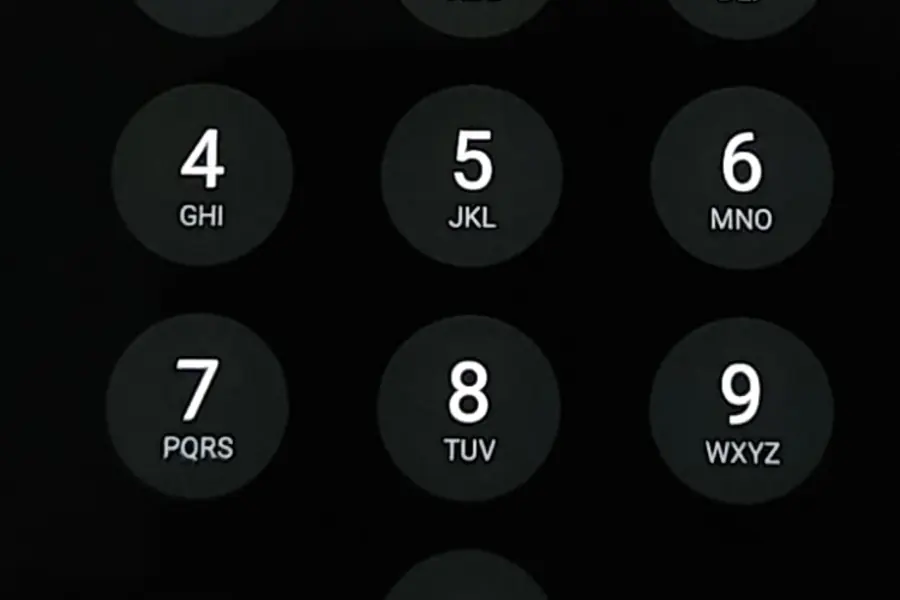
When you install Windows, the system almost forces you to set up a PIN code. It feels illogical: a password has letters and numbers, a PIN is just four digits. How can a shorter combination be safer? The answer is surprising, but technically perfectly sound.
Why a PIN seems weaker
A password can have twenty characters, upper and lower case letters, numbers and symbols. A PIN is usually four or six digits. From the point of view of “how many combinations you have to guess”, the password is clearly stronger.
But sign-in security is not only about the number of combinations. What also matters is where the data is, how it is verified and what happens when someone gets hold of it. And it is precisely on these points that the PIN beats the password.
A PIN never leaves your computer
This is the main difference. A PIN (Windows Hello PIN) is local - it is tied to one specific device and never leaves the system. It is not sent over the network, it is not stored on Microsoft servers and it cannot be intercepted in transit.
An account password works the other way around. It is the same on every device and travels to a server during sign-in. An attacker can obtain it through phishing (a fake page that lures you into entering your password) and then sign in with it from any computer on the other side of the world.
This is not possible with a PIN. Even if someone watched you type it, without your physical computer it is completely useless. That is exactly why a PIN is safer than a password for the sign-in to the device itself.
A PIN is protected by the TPM hardware chip
This is where the “four digits can surely be guessed” concern is addressed. The PIN on its own unlocks nothing. It only serves to unlock a key stored in the TPM security chip right inside the computer.
And this chip has built-in protection against guessing. After several failed attempts it locks at the hardware level and refuses any further tries. A brute force attack (automatically trying all combinations) therefore does not fail on the length of the PIN, but on the hardware itself, which simply stops accepting it. You can read more about how this chip works in the article about the TPM 2.0 chip.
It is actually two-factor authentication
When we put it all together, the PIN fulfils the principle of multi-factor access:
- Something you HAVE - the specific device with a TPM chip.
- Something you KNOW - the PIN itself.
Neither part is enough on its own. Without the device the PIN is worthless, without the PIN the key in the TPM will not unlock. It is the same principle that two-factor authentication (2FA) is built on, only embedded directly into the sign-in.
A PIN is the basis for biometrics and passwordless sign-in
A PIN is not just a replacement for a password. It is the basis of Windows Hello, meaning sign-in by fingerprint or face as well. Biometrics are more convenient, but the PIN remains a reliable backup in case the sensor fails or your hands are wet.
It is also a step toward passwordless sign-in via passkeys. The principle is the same as with a PIN: you sign in with a combination of the device and a PIN or biometrics, which is resistant to phishing, because there is no password that could be lured out or intercepted.
Why Microsoft pushes it everywhere
The reason is simple and in the user’s favour. A PIN solves several problems at once:
- It reduces phishing - there is no password that someone could lure out of you on a fake page.
- It prevents password reuse - the PIN is tied to the device, it cannot be “used the same way everywhere” like a single password.
- It is more convenient - you type four digits faster than a long password.
- It is safer at sign-in - thanks to being local and protected by the TPM.
For Microsoft this means fewer compromised accounts and fewer passwords that could leak in a data breach.
What to watch out for
A PIN is not magic that solves everything. A few rules still apply:
- Protect your PIN. If someone steals your computer and knows your PIN, they get in. An automatic screen lock helps, as does the fact that the TPM locks the disk when someone tries to bypass the system.
- Do not choose a trivial PIN like 1234 or your date of birth.
- The account password still exists and must be strong. A PIN protects one device, but your Microsoft account can still be used elsewhere, especially on the web. A password manager with two-factor authentication is handy for managing it.
Conclusion
A PIN code looks weaker than a password at first glance, but for signing in to a device it is actually safer. It does not leave the computer, it is protected by a hardware chip and it works as two-factor authentication. That is why Microsoft pushes it everywhere - not to annoy you, but to protect you from phishing and password theft.
Sign-in security for your business
We set up Windows Hello, password management and two-factor authentication so your company's devices stay protected and simple to use. For homes and businesses in the Liptov region.
Secure our sign-inThis article is part of our Cybersecurity overview.
Frequently asked questions
Why is a PIN code safer than a password?
Where is the PIN code stored?
Can a PIN be guessed by trying combinations?
Is a PIN code a form of two-factor authentication?
Does a PIN also protect my Microsoft account on the web?
What kind of PIN code should I avoid choosing?
Need help with IT?
We will take care of your computers, networks and security - for businesses and households in the Liptov region.
Contact us