
Repasting and cleaning your computer: why and how often
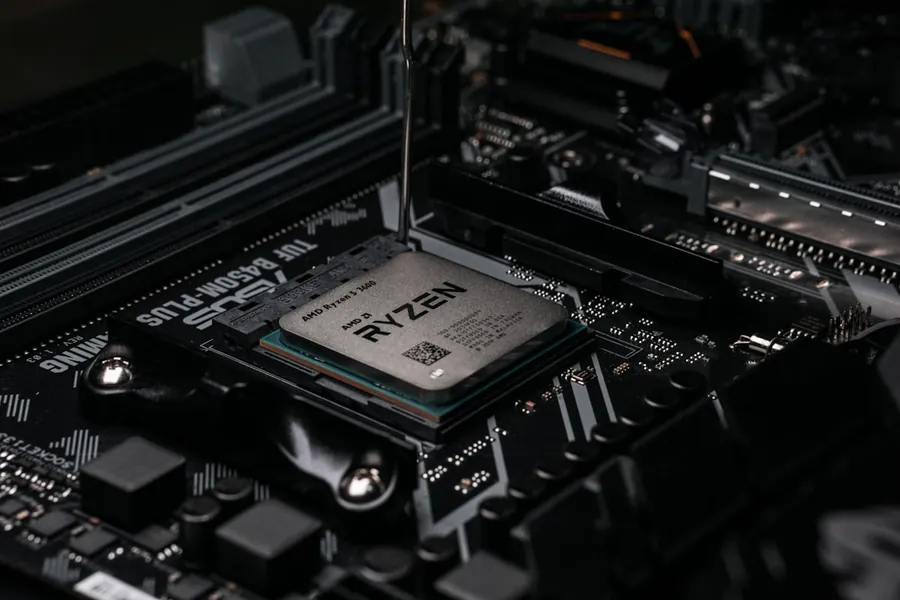
A computer that roars like a vacuum cleaner when you launch a game or do demanding work, and then slows down after a while, almost always suffers from one thing: degraded cooling. The good news is that this is a cheap and quick service job, not a reason to buy a new machine.
Why cooling gets worse over time
The fans inside a computer pull in air, and dust comes along with it. Over time it settles on the heatsinks and fans and blocks heat from being carried away. At the same time, the thermal paste dries out between the processor (or graphics card) and the heatsink. The paste is meant to transfer heat to the heatsink, and once it hardens it stops doing its job.
The result is overheating. The processor protects itself by reducing its own performance (so-called throttling), or the computer suddenly shuts down. High temperatures also shorten the lifespan of components.
Paste, liquid metal or phase change?
When it comes to repasting, you will come across several options:
- Classic thermal paste is the standard. It is reliable, safe and good enough for most computers. Its weakness is that it dries out over time and “pumps out”, so after two or three years it no longer holds temperatures the way it did at the start.
- Liquid metal conducts heat significantly better, but it is electrically conductive, aggressive toward aluminium and tricky to apply. Used incorrectly, it can cause damage, so it belongs only in the hands of an experienced technician and not on every build.
- Phase change material (PCM) is the top-tier and most durable solution. This is exactly what we use, specifically Honeywell PTM7950.
Why we use Honeywell PTM7950
Honeywell PTM7950 is not an ordinary paste, but a so-called phase change material. At room temperature it is a thin solid film, but when the processor heats up (roughly above 45 degrees) it softens, spreads out and perfectly fills the microscopic gaps between the chip and the heatsink. Once it cools down, it solidifies again. This cycle repeats completely reliably for years.
Its main strengths:
- High thermal conductivity (around 8.5 W/mK), comparable to premium pastes.
- It does not dry out or pump out. This is the biggest advantage. Where ordinary paste loses its effectiveness after a year or two, PTM7950 holds stable temperatures for many years. It is often repasting that lasts for years to come.
- It is electrically non-conductive and safe. Unlike liquid metal, there is no risk of a short circuit or damage to aluminium heatsinks.
- Ideal for laptops and graphics cards, where disassembly is laborious and you do not want to deal with it every year. That is exactly why we like to use it most in these machines.
The only thing PTM7950 requires is precise application and correct cutting to the size of the chip, which is a job for a technician. The result is a machine that stays cool and quiet long-term without the need for regular repasting.
Repasting also goes hand in hand with replacing the thermal pads, the soft pads that draw heat away from memory and power components.
Do not forget the graphics card
When gaming and doing demanding graphics work, it is the graphics card (GPU) that heats up the most. Repasting and cleaning it can lower temperatures by tens of degrees, so the card runs faster, quieter and lasts longer. It is one of the most effective things you can do for a gaming computer.
How often to do it
A rough rule of thumb:
- Dust cleaning once every one to two years, more often in a dusty environment or with pets.
- Repasting roughly every two to three years, or when you notice overheating, noise and a drop in performance.
We will take care of it
Cleaning and repasting is a quick job with a big effect. We will safely disassemble your computer or laptop, clean it, apply premium Honeywell PTM7950 and replace the thermal pads, or for specific builds choose another suitable solution. We will return a machine that is quieter, cooler and snappier. Just get in touch with us.
Cleaning and repasting with us
We safely disassemble your computer or laptop, clean it of dust and apply premium Honeywell PTM7950 along with new thermal pads. For homes and businesses in the Liptov region.
I want my computer cleanedThis article is part of our Repair and maintenance overview.
Frequently asked questions
How often should I clean dust from a computer and repaste it?
How can I tell that a computer needs cleaning or repasting?
What is the difference between classic thermal paste and Honeywell PTM7950?
Is liquid metal a better choice than regular paste?
Is it worth repasting the graphics card too?
Can repasting be done by yourself, or should it be left to a service?
Need help with IT?
We will take care of your computers, networks and security - for businesses and households in the Liptov region.
Contact us