
QR codes for businesses: menu, payments, marketing and what to watch for
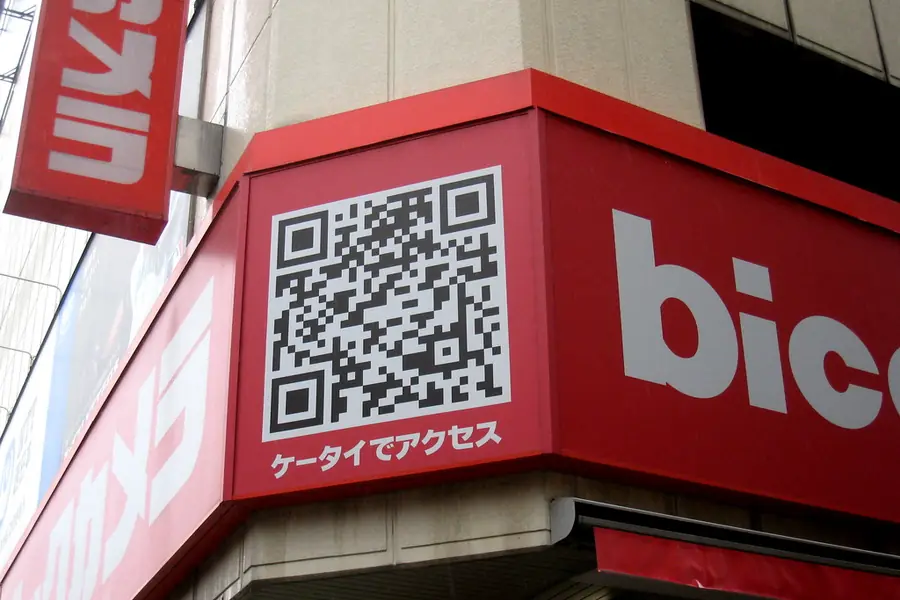
QR codes are everywhere today: on restaurant tables, on flyers, receipts and in shop windows. Just scan them with your phone and a website, menu or payment opens. For businesses they are a cheap and practical tool. Let us go through how to use them and what to watch for.
What a QR code is
A QR code is a square black-and-white image that carries information, most often a link to a website. The phone scans it through the camera and instantly opens what is stored in it. No retyping addresses, one shot is enough.
How to use QR codes in a business
Digital menus and price lists
The best-known use in restaurants and cafes. The guest scans the code and a menu opens on the phone. The advantage is that you change prices and the offer at any time without printing new menus. Digital signage on screens works similarly.
Payments
A QR code can contain payment details, so the customer pays by scanning without retyping the account number and amount. Fast and error-free.
Marketing and promotion
- On flyers and posters the code leads directly to your website or a promotion.
- On the shop window it makes the offer available even after closing hours.
- On business cards and packaging it points to a contact or reviews.
- On products it leads to a manual or details.
Contact, WiFi and reviews
A QR code can connect a guest to WiFi without entering a password, open navigation to the venue or point to a business review.
How to create a QR code
The fastest way is our QR code generator, right in your browser, free and even with a logo. For a step by step walkthrough see how to create a QR code.
A QR code can be generated easily and for free. It is important to distinguish two types:
- A static QR code has a fixed target. When it changes, you have to create a new code.
- A dynamic QR code can be redirected to another target even after printing and often also shows scan statistics. For a business it tends to be more practical.
When printing, ensure sufficient size and contrast, so the code can be scanned comfortably.
Beware: security risks
QR codes also have a dark side worth knowing. Attackers abuse them, because you cannot see where the code leads until you scan it. This fraud is also called quishing (phishing via a QR code).
- Fraudulent codes in public places. Attackers cover the real code (for example on a parking meter) with their own, which leads to a fake payment page.
- Codes in fraudulent emails and flyers that lead to a data-stealing page. This relates to the article on phishing and scam emails.
How to protect yourself:
- After scanning, check the address that appears before you enter anything.
- Be careful with codes stuck over another code or in unexpected places.
- Do not enter payments and passwords on a page you do not trust.
Conclusion
QR codes are a cheap and practical tool for businesses for menus, payments and marketing, which looks modern and saves printing costs. But they need to be used wisely and you should know the risks of fraudulent codes too.
Want to use QR codes in your venue, connect them with a website or a digital menu? Get in touch, we will prepare and set up a tailored solution.
Tip: Create a Pay by Square payment QR for your invoice in our QR payment generator.
Want your QR codes set up right and risk-free?
We prepare tailored QR menus, payments and marketing codes and advise how to avoid fraudulent codes. For homes and businesses in Liptov.
Get a QR solutionThis article is part of our Business and IT overview.
Frequently asked questions
How can I create a QR code for my business for free?
What is the difference between a static and a dynamic QR code?
How does a QR code for a digital restaurant menu work?
What is quishing and how do I avoid falling for it?
Can I pay through a QR code?
What should I watch for when printing a QR code?
Need help with IT?
We will take care of your computers, networks and security - for businesses and households in the Liptov region.
Contact us