
Retro gaming and emulators: old games on a new device
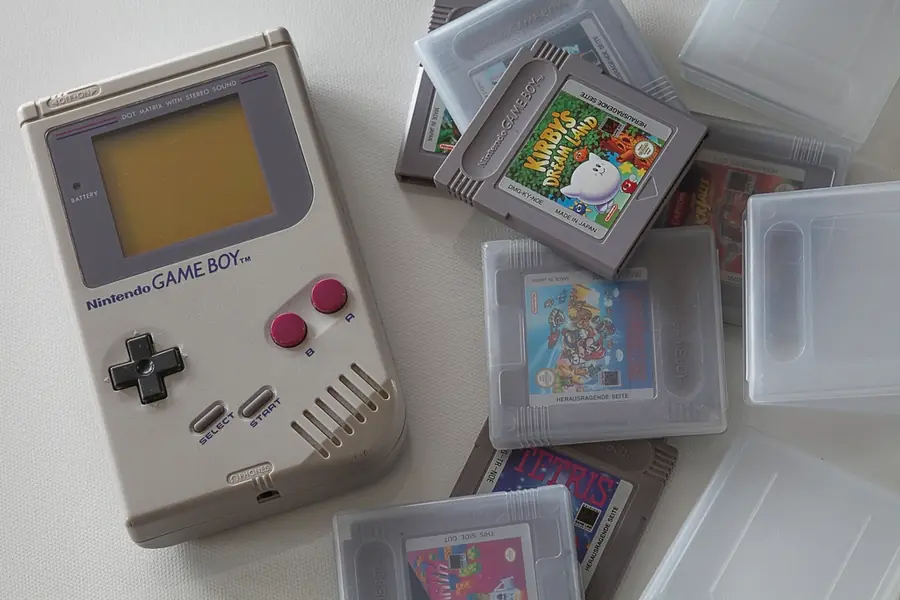
Childhood games have a charm that modern titles do not. Thanks to emulators, you can play them on today’s computer, phone or a small arcade built on a Raspberry Pi. Let us explain how to do it and how the legality works.
What an emulator is
An emulator is a program that imitates an old console or computer, so on a modern device you run old games the way they ran back then. The game runs inside the emulator, which pretends to be the original hardware.
What can be emulated
You can emulate old consoles (for example the NES, SNES, PlayStation, Game Boy), old computer games and arcade machines. Since these are older games, they run smoothly even on weaker hardware.
What it runs on
- A computer is the most universal.
- A phone with a controller serves for travel.
- A Raspberry Pi is a popular base for small home retro arcades, related to the article on Raspberry Pi and microcontrollers.
- Gaming handhelds (portable consoles with Android or Linux) come with emulators straight out of the box.
RetroArch: one program for everything
Instead of dozens of separate emulators, RetroArch comes in handy, a free and cross-platform program. It works on Windows, Linux, Android and the Raspberry Pi, and you add individual consoles to it as so-called cores. You then have all systems under one interface, with unified controller and picture settings. For beginners it is the easiest way to avoid hunting for a separate program for each console.
Performance demands by console
The newer the console, the more power emulation needs:
- 8 and 16-bit consoles (NES, SNES, Game Boy, Sega) and arcades run smoothly even on weak hardware including the Raspberry Pi.
- PlayStation 1, Nintendo 64 and similar are handled by an ordinary computer or a more powerful handheld.
- Newer systems (for example PlayStation 2 or GameCube) are more demanding and want a more powerful computer.
Watch out for system files (BIOS)
Some emulators also need the BIOS, that is the original console’s system files, otherwise games will not start. The same applies to them as to games: you legally have them only from a console you own.
Legal aspects: this is important
The emulator itself is legal, it is just a program. The problem is with the games, the so-called ROM files. You may legally use them only if you own the original game or the game is freely and officially available. Downloading copyrighted games from the internet is a breach of copyright, similar to torrents.
Legal alternatives
Fortunately there are many legal routes to retro games:
- Official retro collections and remasters in game stores.
- Subscriptions like Nintendo Switch Online with classic games.
- Mini consoles with preinstalled games straight from the manufacturers.
Practical tips
For comfortable play, a game controller comes in handy, some emulators also require system files from the original console, and setting up the controls and picture takes a moment.
Want to build a home retro arcade or get advice on the setup? Get in touch, we will help and, if you wish, also build a custom computer.
We will build your custom retro arcade
We advise on hardware choice, set up RetroArch and controllers, and get your games running truly smoothly. For households and businesses in Liptov.
I want a retro arcadeThis article is part of our Gaming overview.
Frequently asked questions
Is using emulators legal?
Which emulator is best to start with?
Can retro gaming run on a Raspberry Pi?
What is a BIOS in emulation and why do I sometimes need it?
Which consoles run on an ordinary computer without issues?
What are legal alternatives to downloading ROM games?
Need help with IT?
We will take care of your computers, networks and security - for businesses and households in the Liptov region.
Contact us