
The difference between a router, a switch and a hub
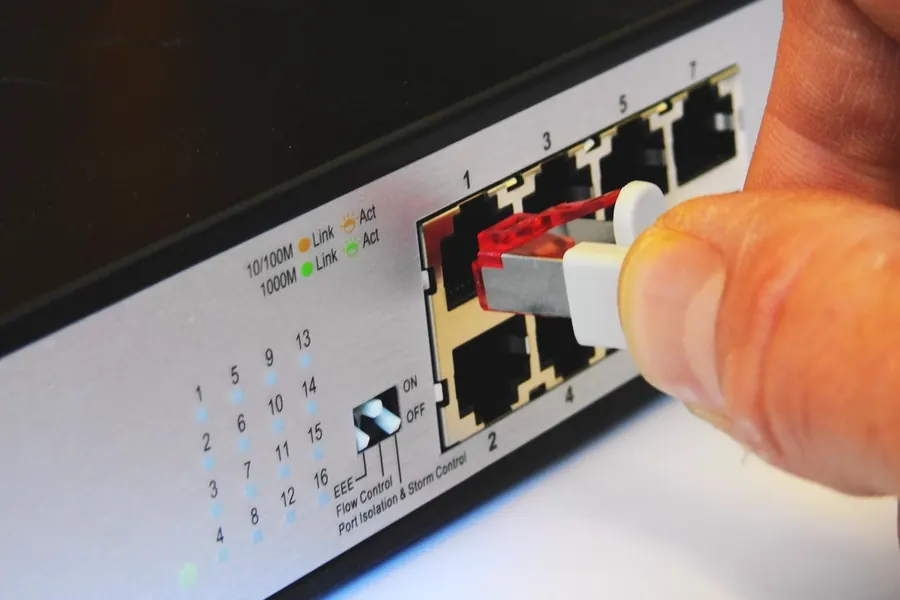
A router, a switch and a hub sound similar and all have ports for a network cable, yet they do completely different things. Once you understand them, you stop fumbling when building a home or company network. Let us explain clearly what each one does and why a hub is practically unused today.
A hub: why it is dead today
A hub was the simplest of them all. When data arrived at one port, it sent it to all the other ports at once, without thinking. Devices got in each other’s way needlessly, collisions occurred and the network got congested. It worked only in so-called half duplex, so it could either send or receive at a time. Today it has been completely replaced by a switch, and you will practically not find one in shops. That is why it is spoken of as a dead technology.
A switch: the smart distributor of the network
A switch looks like a hub, but is much smarter. It learns which device is on which port (by its MAC address) and sends data only where it truly belongs. Thanks to this, no collisions occur, it works in full duplex and the network runs smoothly. A switch serves to connect more devices to the network by cable than the router has ports. It does not handle the internet connection itself, though, it only distributes data within the local network.
A router: the gateway to the internet
A router is the control element that connects your network to the internet and routes data between networks. It assigns devices IP addresses (via DHCP), translates addresses out to the internet (NAT) and protects the network with a basic firewall. Home routers also tend to be combined, so in one box you have a router, a switch and a wifi access point together.
How they work together
In practice it looks like this: the internet comes from the operator into the router, which hands out the network and provides wifi. When you need more wired devices than the router has ports, you add a switch behind it to expand the number of ports. So a home “router” often combines all three functions, while in a company they tend to be separate. We write more about choosing a router in the article an operator router versus your own.
When do I need a switch
- When you have more wired devices (computers, TV, console, NAS) than the router has ports.
- When you run the network into several rooms and need ports in one place.
- When deploying cameras or wifi points, a PoE switch comes in handy, as it also powers them.
Summary
- A hub sent data to everyone at once, dead today.
- A switch sends data only to the recipient and expands the network.
- A router connects the network to the internet and manages traffic.
Building or expanding a network at home or in a company? Get in touch, we will design it correctly. We will also help with the decision between cable and wifi.
We design and build your home or company network
We advise on the right choice and setup of routers, switches and wifi access points. For households and companies across Liptov.
Get in touchThis article is part of our Computer networks overview.
Frequently asked questions
What is the main difference between a router, a switch and a hub?
Why is a hub not used anymore?
When do I need to add a switch to my network?
What else does a home router do besides connecting to the internet?
Can a switch handle the internet connection on its own?
What is a PoE switch and when does it come in handy?
Need help with IT?
We will take care of your computers, networks and security - for businesses and households in the Liptov region.
Contact us