
Router vs WiFi router: the difference explained simply
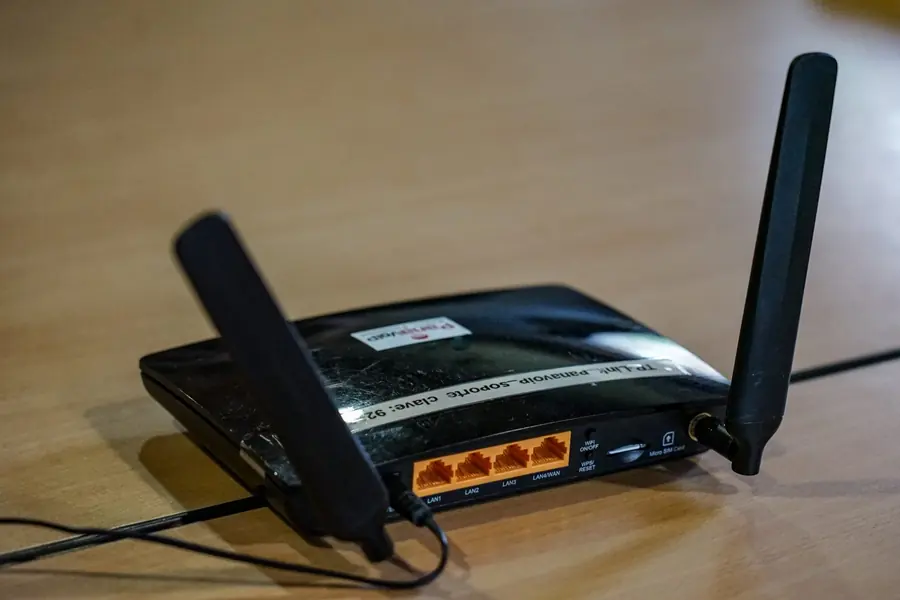
A router and a WiFi router sound almost the same, yet they are not quite the same thing. Most people call the one box at home a “router” or “the WiFi”, even though it actually does several jobs at once. Let us explain it simply, so you understand it even without a technical background.
What a router itself does
A router is a device that routes data between networks. Most often between your home network (LAN, the local network in your home) and the internet. It decides where each piece of data should go, so it reaches its destination and comes back.
- A router is really the brain of the network that directs data traffic.
- A router itself does not have to have WiFi. It can work over network cables only.
- Without a router your devices could not talk to the internet as one whole.
What a WiFi router adds
A WiFi router is a router that additionally has a built-in wireless access point (a Wi-Fi transmitter). In other words:
WiFi router = router + WiFi transmitter in one device.
Thanks to WiFi you connect wirelessly from a phone, laptop or TV, without running cables. The routing of data is still done by the router part, WiFi is just a wireless antenna added on top.
The box at home does several jobs at once
What most households have is not just a “router”. It is a combined device that joins several functions in one body:
- A modem or ONT - converts the signal from your provider (DSL, fibre or cable) into ordinary data.
- A router - routes data between your network and the internet.
- A switch - provides LAN ports to connect devices by cable.
- A WiFi access point - broadcasts the wireless network.
People call it a “router” or “the WiFi”, even though the device does all these jobs together. If you want to know how a router differs from a switch and a hub, see the difference between a router, a switch and a hub.
An access point and a modem are not a router
To keep your terms straight, it helps to separate the two devices most often confused with a router:
- An access point (AP) only provides WiFi and connects wireless devices to the cabled network. It does not route data between networks, so it is not a router.
- A modem or ONT converts the provider signal into data. It has a completely different job than a router.
To put it together: the access point adds a wireless network, the modem connects you to the provider and the router decides where data goes.
Why it pays to know the difference
Telling the terms apart helps you in three common situations:
- WiFi coverage. When WiFi does not reach the whole flat, the fix is to add an access point or move to mesh WiFi, not to replace the entire router.
- Your own vs the provider’s device. When you consider buying your own box, it is worth knowing which functions you need. The comparison provider’s router vs your own helps here.
- A company network. In a company the router, switch and several access points are often split into separate devices for reliability and coverage.
It also helps when something breaks. When “the WiFi is down”, it is the wireless part. When “the internet is down”, the problem is more likely in routing or in the connection to the provider. And when you deal with security, see how to secure your router.
Summary for the non-technical reader
If you should remember one thing: a router is the brain that decides where data goes, and WiFi is just a wireless antenna added on top. A WiFi router joins both in one device. The box at home usually adds a modem and a switch as well, which is why it does several jobs at once.
We help choose the right router and network
We help pick the right device, set up Wi-Fi coverage and advise on building a company network. For homes and businesses in the Liptov region.
Get network adviceThis article is part of our Computer networks overview.
Frequently asked questions
What is the difference between a router and a WiFi router?
Does a router always have to have WiFi?
What is an access point and how does it differ from a router?
Is a modem the same as a router?
What functions does an ordinary provider box at home combine?
How do you tell if the problem is WiFi or the internet connection?
Need help with IT?
We will take care of your computers, networks and security - for businesses and households in the Liptov region.
Contact us