
Internet speed: what megabits mean and how much you really need
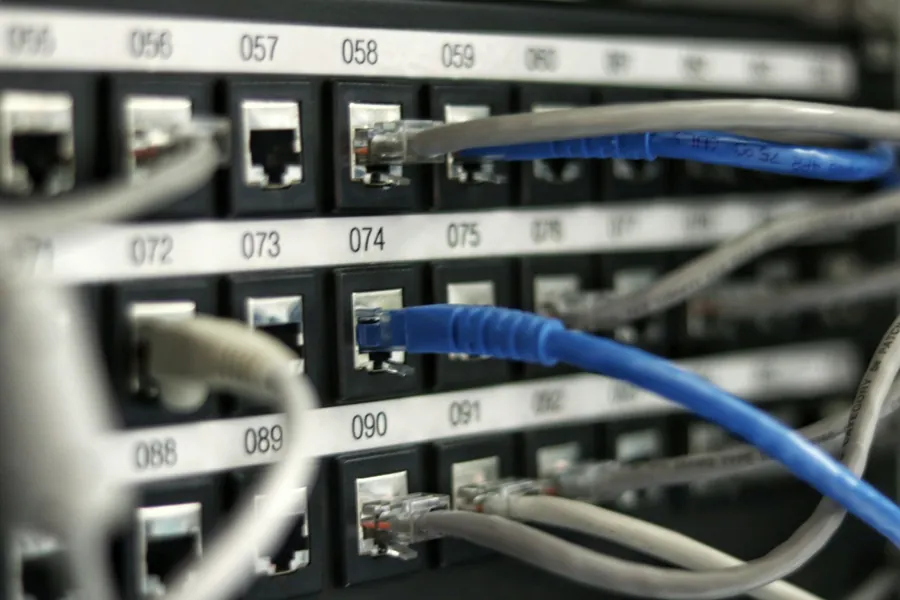
Providers keep outbidding each other with numbers: 100, 500, even 1000 megabits. Yet most people have no idea what those numbers mean or whether a more expensive plan actually gives them anything extra. And so some overpay for speed they will never use, while others struggle with a slow line even though a small fix would solve it. Let us explain it in plain language.
A megabit is not a megabyte
This is the most common source of confusion. Internet speed is given in megabits per second (Mbit/s or Mbps), but file sizes on your computer are measured in megabytes (MB). And one byte is eight bits.
In practice that means you have to divide the speed in megabits by eight to get the real download speed in megabytes:
- 100 Mbit/s ≈ 12.5 MB per second
- 250 Mbit/s ≈ 31.25 MB per second
- 1000 Mbit/s ≈ 125 MB per second
That is why a 4 GB film downloads in roughly five minutes on a “100” line, not in a couple of seconds as it might seem. The amount of data a line can carry per second is technically called bandwidth.
Download is not the same as upload
Every line has two numbers: download and upload. Download is everything that comes to you: videos, web pages, e-mails. Upload is what you send out: attachments, cloud backups, camera footage, your own picture on a video call.
Ordinary home connections are often asymmetric, meaning they have a high download and a much lower upload (for example 300/30 Mbit/s). For most people that is fine. But if you work from home, send large files, back up to the cloud or run a camera system, pay attention to the upload figure, not just the big tempting number.
Speed is not everything: latency matters too
You may have a fast connection and yet your game or video call still stutters. The culprit is usually latency, commonly known as ping. It is the time it takes data to travel to its destination and back, measured in milliseconds. A low ping (under 30 ms) means snappy responsiveness, while a high ping causes that annoying “lag” even when the speed looks high on paper.
For online gaming, video calls and live streaming, a stable low ping matters more than another hundred megabits on top.
How many Mbit/s you really need
Here is a realistic overview of how much download a single activity uses on a single device:
| Activity (1 device) | Download needed |
|---|---|
| Web, e-mail, social media | 5 to 10 Mbit/s |
| Music and podcasts | under 1 Mbit/s |
| HD video (Netflix, YouTube) | ~5 Mbit/s |
| 4K video | ~25 Mbit/s |
| Video call (Teams, Zoom, Meet) | 3 to 5 Mbit/s |
| Online gaming | 1 to 5 Mbit/s + low ping |
| Large downloads | as much as you give it |
Notice that even a 4K film needs no more than 25 Mbit/s. The high numbers in a contract only start to matter when several activities and devices happen at once. Our internet speed calculator adds it up for your household, and the full breakdown is in how much internet speed do you actually need.
By your household, not by the advert
The right speed is mainly determined by how many people and devices use the network at the same time:
| Household | Sensible plan |
|---|---|
| Single person or couple, ordinary use | 50 to 100 Mbit/s |
| Family, 4K TV, several devices at once | 100 to 250 Mbit/s |
| Working from home, a home server, large backups, content creation | 500 to 1000 Mbit/s |
The truth is that the vast majority of households will not fully use even 250 Mbit/s. A gigabit line makes sense for demanding setups, many simultaneous users, or where huge amounts of data move regularly. Otherwise you are paying for it for nothing.
Watch out: the bottleneck is usually Wi-Fi, not the line
This is important. You can have a thousand megabits on paper, but if you distribute them through an old router, an outdated Wi-Fi standard (older devices only support Wi-Fi 4 or 5) or an overcrowded 2.4 GHz band, your phone will measure a fraction of it. The line speed is always limited by the weakest link in the network.
The most common brakes are an outdated provider router, weak Wi-Fi and cheap signal boosters (why not to buy a repeater). An old router is a security risk too, so disable WPS on it and update the firmware. If you want to use the speed you are paying for, it is worth reading how to really improve your home Wi-Fi. You will always get the fastest and most stable connection over a cable (Ethernet), not wirelessly.
How to check your real speed
The number in the contract is what you pay for. You find out the real speed by measuring it - you can run the test right here:
The test runs directly in your browser. Alternatively, use the trusted Speedtest.net:
Run a speed test (Speedtest.net)
For an honest result:
- Measure ideally on a computer connected by cable, not over Wi-Fi.
- If you measure over a cable, make sure you use a full 8-wire cable (all 4 pairs connected). Cheap or older patch cables are often wired with only 4 wires, which caps you at 100 Mbit/s even if all your network gear is gigabit. Full gigabit needs all 8 wires.
- Turn off downloads and other devices that would load the line.
- Compare the measured value with what your contract promises. A small deviation is normal; a big difference needs to be addressed.
When to call a professional
If you pay for a high speed but feel little of it at home, the problem is usually not the line but the network behind it. For companies where an internet outage means a halted operation, a backup connection with automatic failover is worth considering too.
Paying for speed you cannot feel at home?
We will professionally check your network, measure the real speed and Wi-Fi quality and tell you whether you need a higher plan or whether correctly setting up what you already have is enough. Often things speed up noticeably without paying your provider a euro more.
Check my networkThis article is part of our Computer networks overview.
Frequently asked questions
What is the difference between a megabit (Mbit) and a megabyte (MB)?
Why do I measure less than my contract says?
Is 100 Mbit/s enough for me?
What is ping and why does it matter?
Why is the internet slower in the evening?
Should I measure speed over Wi-Fi or over cable?
Need help with IT?
We will take care of your computers, networks and security - for businesses and households in the Liptov region.
Contact us