
Disk S.M.A.R.T.: how to tell a disk is dying before it loses data
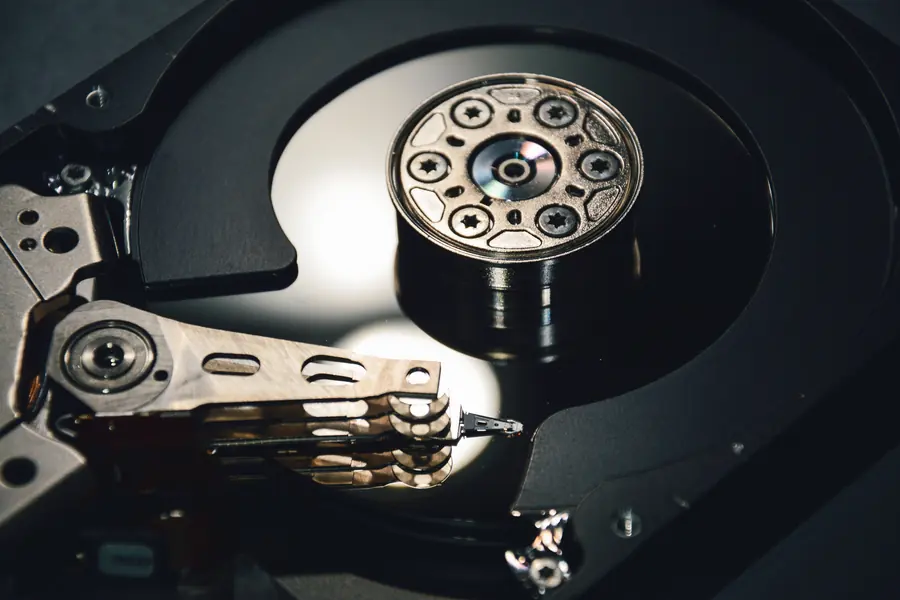
A disk tends to be the most vulnerable part of a computer, and its failure means data loss. The good news is that a disk often warns in advance, you just need to know how to read these signals. The S.M.A.R.T. feature serves this purpose. Let us explain what it is and how it can save your data.
What S.M.A.R.T. is
S.M.A.R.T. (Self-Monitoring, Analysis and Reporting Technology) is a feature built into disks that monitors their state and reports approaching problems. The disk continuously measures various values itself and from them can estimate whether it is healthy or approaching failure.
This has a huge advantage: instead of a sudden death of the disk, you get a warning in advance and have time to back up and replace the disk.
How to access the values
S.M.A.R.T. values can be read using diagnostic tools that read the disk and clearly show its health, often with a simple rating like “OK” or “caution”. This applies to classic disks (HDD) and SSDs.
Which signals to watch
You do not have to understand every number, the warning signs matter:
- Growing bad sectors (reallocated sectors). The disk moves data from damaged places. When they grow, it is a serious warning signal.
- Read and write errors. A rising number of errors indicates wear.
- SSD wear. An SSD has a limited number of writes, S.M.A.R.T. shows the remaining lifespan.
- Temperature. Long-term overheating of the disk shortens its lifespan.
- The overall rating. When the tool shows a state other than “OK”, do not postpone it.
Warning signs even without a tool
A disk often shows a problem through behavior too:
- The computer freezes and loads files for a long time.
- Clicking or unusual sounds with a classic disk.
- Files get corrupted or disappear.
- The system reports disk errors or restarts unexpectedly.
These signs are also discussed in the article on a non-working external disk.
What to do when a disk reports a problem
Proceed quickly and in the right order:
- Back up your data immediately. This is priority number one while the disk still works. More in the article on how to back up correctly.
- Do not try to stress the disk. The more you work with it, the greater the risk.
- Replace the disk. A disk that has once started failing will not improve, it needs replacing.
- For already inaccessible data data recovery is possible, but it is better not to get there.
Prevention is the cheapest
- Regularly monitor the health of disks, especially with servers and NAS.
- Keep backups following the rule of multiple copies, so a disk failure is not a disaster.
- For important data consider RAID, which survives the failure of one disk.
Conclusion
S.M.A.R.T. is a silent guardian of your disks that can warn before a disk fails. If you do not ignore the signals and have backups, a disk failure becomes just a part replacement, not data loss.
Want certainty about the health of your disks or is a disk reporting a problem? Get in touch, we will check the state of the disks, back up the data and replace the disk safely.
This article is part of our Data backup and recovery overview.
Frequently asked questions
What is S.M.A.R.T.?
How do I check S.M.A.R.T. values?
Which signals are the most serious?
Can I spot a dying drive without a tool?
My drive reports a problem. What should I do?
Can a failing disk be repaired?
Need help with IT?
We will take care of your computers, networks and security - for businesses and households in the Liptov region.
Contact us