
How many watts your devices use and when an efficient PC pays off
Electricity has gotten more expensive and every extra watt shows on the bill. Yet few know which devices in a home or company use the most and where you can really save. Let us go through it and explain why sometimes a new computer pays for itself in saved electricity.
Rough consumption of common devices
The values vary by model and load, but roughly they range like this:
| Device | Rough consumption |
|---|---|
| LED bulb | 6 to 10 W |
| WiFi router | 5 to 12 W |
| Optical modem (ONT) | 5 to 10 W |
| Starlink dish | tens of watts (often 50 to 75 W) |
| Laptop | 30 to 65 W |
| Desktop computer (ordinary) | 60 to 200 W |
| Gaming computer | 300 to 500 W and more |
| Monitor | 15 to 40 W |
| Home server / NAS | 20 to 50 W |
| Television | 50 to 120 W |
The biggest impact on the bill comes from devices that run continuously (router, ONT, server, Starlink) and those with high consumption (desktop and gaming computers).
Beware of devices that run all the time
A low-consumption device running 24 hours a day can use more over a year than a powerful appliance you turn on briefly. Examples that are forgotten:
- The router and optical modem (ONT) run nonstop. They do not use much by themselves, but it counts 24/7.
- A Starlink dish uses significantly more than an ordinary modem, often tens of watts continuously, which adds up over a year. It is the price of connectivity where there is no other option. Where possible, fiber or cable are more economical.
- An old computer left on as storage or “because it has always been that way”.
Why a new computer can save money
And now the most important part. The performance of computers has grown in recent years and at the same time their consumption has dropped. A new efficient computer today handles ordinary work just as fast as an older powerful one, but with several times lower consumption.
A clear example: an efficient processor like the Intel N100 has a consumption on the order of around 6 watts, while an older desktop processor like the Intel i5 from several generations ago commonly had 65 watts and more. For everyday use this is a huge difference, and for ordinary work, internet and office the performance of an efficient computer is entirely sufficient.
When such a computer runs many hours a day, the difference in consumption adds up over a year or two so much that the new efficient computer pays for itself. On top of that it is quieter, smaller and runs cooler.
When it is worth replacing an old computer
- It runs many hours a day (office, home server, point of sale).
- It is old and energy-hungry, yet you use it only for ordinary things.
- It runs hot and is loud, which often means high consumption.
- You keep it “just in case” alongside a new one, even though you barely use it.
When choosing an efficient computer, the article on PC sizes: SFF, Mini PC, NUC helps, because small and efficient computers excel here. Sometimes even a switch to an SSD is enough and an old computer serves on.
When to keep an old computer
Replacement is not always necessary. If you turn the computer on only occasionally and briefly, its consumption will not burden the bill, and it is more ecological to use a machine to the end. An old computer can also be sensibly recycled or donated.
How to find out the real consumption
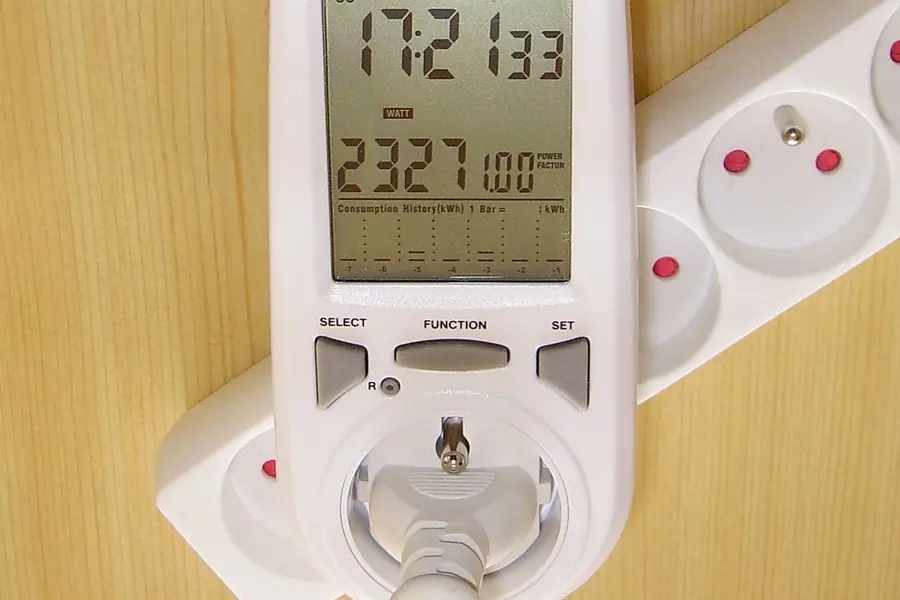
The consumption of a specific device can be precisely measured with a simple plug-in power meter (a wattmeter). It shows the real power draw and the consumption over time, so you know how much the device really costs you, not just an estimate from paper values.
Conclusion
The biggest impact on the electricity bill comes from devices that run continuously and those with high consumption. Modern efficient computers today offer sufficient performance at a fraction of the consumption of older machines, so a replacement can really pay off, not just in comfort, but on the bill too. The key is to know what uses how much and decide accordingly.
Want to know how much your devices really use, or are you considering more efficient computers? Get in touch, we will measure the consumption and advise where you can save.
We measure consumption and advise on an efficient PC
We measure the real power use of your devices and suggest an efficient setup that pays for itself on the electricity bill. For households and businesses in Liptov.
Get in touchThis article is part of our Hardware and components overview.
Frequently asked questions
Which devices in a household use the most electricity?
Why is it worth watching even low-consumption devices like a router?
How much less does an efficient computer like the Intel N100 use than an older i5?
When is it worth replacing an old computer with an efficient one?
How do I find out exactly how much my device consumes?
Is Starlink worth it in terms of power consumption?
Need help with IT?
We will take care of your computers, networks and security - for businesses and households in the Liptov region.
Contact us