
Lost phone: two settings that decide whether you find it
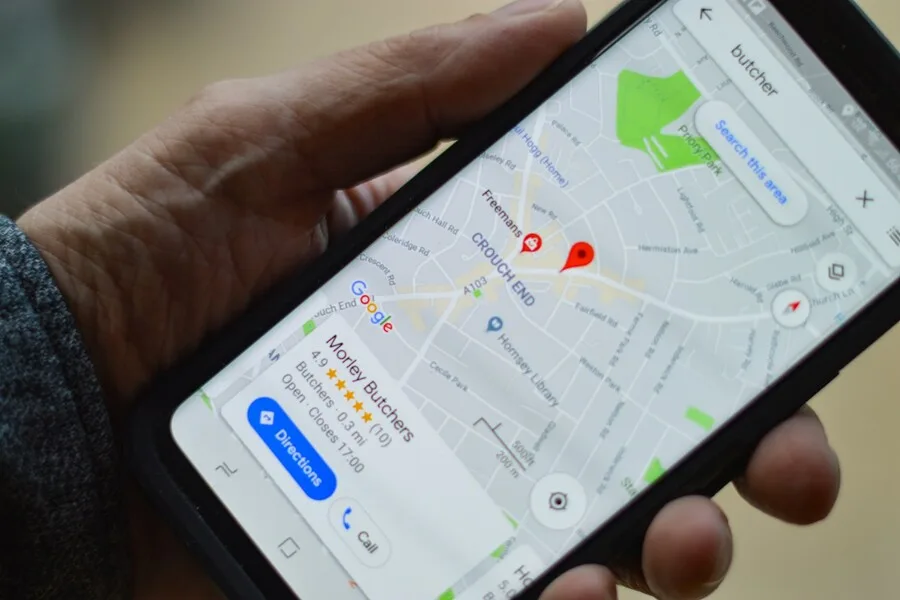
A lost or stolen phone is a nuisance, but whether you ever see it again is often decided long before it goes missing. Not by detective work on the day, but by two settings you either have or do not have in place beforehand. Both sound a little counterintuitive, even against what most people consider “safe”. And yet they are exactly what decides whether the phone stays trackable after it is lost.
Let us take them in order, along with why it works this way.
First the basics: Find My Device enabled
Nothing else matters without it. Your phone must have Find My Device enabled on Android or Find My on iPhone. It lets you locate the phone on a map, ring it, lock it remotely and, as a last resort, wipe it. If you are not sure it is on, set it up today, more in the article on securing your phone.
1. Keep mobile data on at all times
To tell you where it is, the phone needs a connection. And here is the catch: if you keep mobile data off and use it only at home on WiFi, a lost phone checks in only when it happens to catch a known WiFi network. Outdoors, in another town, in a finder’s pocket? Silence. It does not show up on the map.
With mobile data always on, the phone has a connection practically everywhere there is signal. That is the difference between “last seen three days ago at home” and “right now on this street”. A few cents for background data is a negligible price for keeping your phone visible.
2. Turn off the SIM card PIN, the phone lock is enough
This is the piece of advice that sounds like a contradiction, yet the logic is simple. Turn off the SIM card PIN and rely on the phone’s lock. Here is why.
The SIM PIN is an old safeguard from an era when the phone itself was not well protected. Today it is the other way round: what really protects you is the device lock, that is the PIN or biometrics to unlock the phone. That guards your email, apps, banking and photos. Access to a bare SIM card today gives an attacker almost nothing, nobody signs into your accounts with it.
Yet when it comes to finding the phone, the SIM PIN actively gets in the way. Picture a typical scenario: you lose the phone, it is trackable for a while, then it drains flat. The finder later plugs it into a charger and turns it on. The phone boots, but if the SIM has a PIN, it stays with no mobile network connection until someone enters it. And nobody will. The result: the phone is on, but dead on the map. Without a SIM PIN the card reconnects to the network by itself after power-on and the phone gets another chance to check in. The same applies to any restart, not just a drained battery.
What about the security of a SIM without a PIN?
The only thing someone can do with your stolen SIM is receive your text messages and make calls on your account. That is easy to handle, and you should do it anyway:
- Use verification codes (2FA) via an app or passkeys instead of SMS. Then a stolen SIM is completely useless for codes, more in the article on two-factor verification.
- When lost, call your operator at once and have the SIM blocked. It takes a minute.
- If you have an eSIM, it cannot be physically removed, so there is nothing to fear.
In short: the phone lock protects everything important, app-based 2FA protects your codes, and the SIM PIN would only stop you finding the phone. So go ahead and turn it off.
What else raises your chances of finding the phone
- Keep the screen lock on. The phone is trackable even when locked, unlocking is not needed for it, so security and finding do not clash.
- Contact details on the lock screen. An honest finder can reach you if they find where. You can set a message on the lock screen.
- Know the limits. Against a determined thief it is not all-powerful, they can turn the phone off, put it in a signal-blocking bag or reset it. These settings work mainly in the first window after loss and against an ordinary finder, which is most cases.
- In a theft, report it to the police with the IMEI number. You will find it on the box or by dialling
*#06#.
A small difference between Android and iPhone
The iPhone has this figured out: Find My can locate the phone even when it is off, via a low-power Bluetooth mode, and it checks in by itself after power-on. Android reliably reports in after a drain only once it reconnects to the network, which is exactly what the two settings above help with. Newer Androids also have a nearby Bluetooth finding network now, but that pair of settings helps on both systems.
When to leave it to us
You can set up your phone so you have a chance of finding it if lost in a few minutes, and this guide helps with that. But if you want to be sure everything is right, or you are arranging the secure setup of several devices across a family or company, we will gladly go through it with you and set it up.
Want to be sure you can find your phone if it is lost?
We go through your phone and account settings with you so you have a chance of locating it and your data stays safe. For homes and businesses in Liptov.
Get in touchThis article is part of our guide to cybersecurity.
Comments and questions 0
We keep the discussion to the point. Ads, links to other services, profanity and personal attacks will not be published. Neither will posts containing other people's personal data.
Frequently asked questions
Why keep mobile data on when a phone is lost?
Should I turn off the SIM card PIN?
Isn't a SIM without a PIN dangerous?
How can a lost phone be found at all?
Is a phone trackable even when locked?
Do these settings protect the phone even from a skilled thief?
Need help with IT?
We will take care of your computers, networks and security - for businesses and households in the Liptov region.
Contact us