
How to secure a smart home and IoT devices
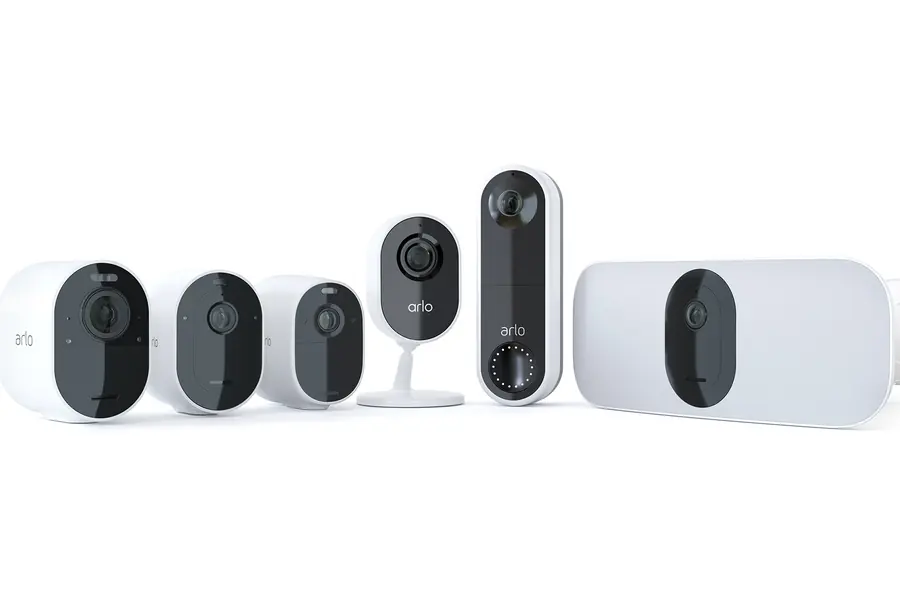
A smart home brings convenience, but every connected device is also a possible gateway for an attacker. Cheap cameras and sensors are usually poorly secured and become a target. Here is a practical guide on how to secure your smart home.
Why IoT devices are risky
Many smart devices have weak passwords, outdated software and send data to the manufacturer’s cloud. A hacked camera can watch your home, while a weak sensor can serve as an entry point into the network. That is why they need attention.
The three most common risks are:
- Weak factory passwords, which attackers try in bulk using public lists.
- Outdated firmware, where known holes stay unpatched for years.
- Abuse into a botnet, when a compromised device joins a network of others and is used for attacks. This is how the well-known Mirai botnet worked, abusing exactly those cameras and smart devices with default passwords.
1. Change default passwords
The first and most important thing. Many devices are sold with the same factory password (for example admin/admin), which attackers know. Change it to a strong and unique one right after installation.
2. Separate IoT into its own network
Smart devices do not belong on the same network as computers with sensitive data. Create a separate WiFi network or VLAN for them, so that in case of a breach they have no access to your important devices. The principle is explained in the article on network separation via VLAN.
3. Update regularly
Manufacturers release updates that fix security holes. Turn on automatic updates where possible and do not postpone updates. Devices the manufacturer no longer updates are a risk.
4. Secure the router and WiFi
The router is the gateway to the whole network. Set a strong WiFi password, WPA3 or WPA2 encryption and disable unnecessary features. A guide is in the article on how to secure a router.
5. Limit cloud and external access
- Consider what really needs the cloud. Some devices can work locally via Home Assistant.
- Do not open cameras directly to the internet. For remote access use a VPN instead of port forwarding.
- Disable features you do not use, especially remote access and UPnP.
6. Cameras and privacy
An indoor camera sees into your home, so take care:
- Do not point it at places it does not need to see, such as the bedroom or bathroom.
- Consider cameras with local storage on a memory card or NAS instead of cloud-only recording.
- Some cameras have a physical shutter or can be turned off in software when you are home.
7. Do not connect unnecessarily
The safest device is the one that is not online at all. If you do not really use a smart feature (for example controlling the fridge via an app), feel free to leave the device offline. Fewer connected devices means a smaller attack surface.
8. Choose trustworthy manufacturers
With smart devices it pays to pay extra for a brand that addresses security and releases updates. The cheapest no-name cameras tend to be the biggest risk. A quick search helps too: type the model name together with the words security vulnerability into a search engine and check whether it has been linked to a serious incident in the past.
A practical routine: a new smart device step by step
When you bring a new smart device home, go through this short routine. It takes a few minutes and removes most risks before they even appear:
- Check the manufacturer and the app. Before plugging it in, verify that the manufacturer releases updates and that the app does not ask for unnecessary permissions, such as access to your contacts for an ordinary light bulb.
- Connect the device to a separate IoT network, not to the main WiFi where your computers and work data live.
- Change the default password to a strong and unique one, ideally generated by a password manager.
- Update the firmware at first startup. The version in the box is often a year old, with known holes.
- Turn off what you do not need: remote access, UPnP, data sharing for analytics or voice control if you do not use it.
- Enable two-factor authentication in the manufacturer’s account if it is offered. A stolen cloud login is the easiest way for an attacker to reach your camera.
Overview: devices, risks and measures
| Device | Biggest risk | Basic measure |
|---|---|---|
| Camera | someone watching your home from outside | local storage, VPN, no open ports |
| Smart lock | an attacker opening the door | branded manufacturer, two-factor, backup key |
| Plugs and bulbs | abuse into a botnet | separate network, updates |
| Voice assistant | recordings in the cloud | microphone switch, deleting history |
| Sensors and thermostat | entry point into the network | own VLAN, UPnP disabled |
Common mistakes and myths
- I am a small target, nobody will attack me. IoT attacks are automated. Bots scan the entire internet around the clock and try everything that responds, regardless of who owns it.
- A good WiFi password is enough. It is not, if the device itself has a firmware hole or a port open directly to the internet. The WiFi password protects you from the neighbours, not from the internet.
- An expensive device is automatically secure. Price helps, but what matters is the manufacturer’s approach: how long they release updates and how fast they fix reported flaws.
- Forgotten old devices. A camera or plug you stopped using but which still hangs on the network is a typical weak spot. Every now and then go through the list of connected devices on the router and disconnect what you do not need.
Troubleshooting
- The device behaves strangely (the camera light is on when it should not be, the device sends a lot of data or restarts on its own): disconnect it from the network, do a factory reset, load the latest firmware and set a new password. If the behaviour returns, retire the device.
- The app stopped working after moving the device to the IoT network: some devices require the smartphone to be on the same network during pairing. Pair them there and then return the smartphone to the main network, or allow only specific traffic between the networks on the router.
- The manufacturer ended support: a device without updates is a permanent risk. Consider a replacement, and if you want to let it live out its days, keep it in a strictly separated network with no internet access.
A secure smart home, tailored to you
We will design a separate network for your smart devices and secure your cameras, router and remote access via VPN. For homes and businesses in the Liptov region.
Secure my smart homeThis article is part of our Cybersecurity overview.
Comments and questions 0
We keep the discussion to the point. Ads, links to other services, profanity and personal attacks will not be published. Neither will posts containing other people's personal data.
Frequently asked questions
Why are cheap smart cameras and IoT devices risky?
What is a botnet and how does it relate to a smart home?
How do I separate smart devices from the rest of my home network?
Does a smart camera have to be connected to the manufacturer's cloud?
How do I know my IoT device has been compromised?
What about a device the manufacturer no longer updates?
Need help with IT?
We will take care of your computers, networks and security - for businesses and households in the Liptov region.
Contact us